
Summary
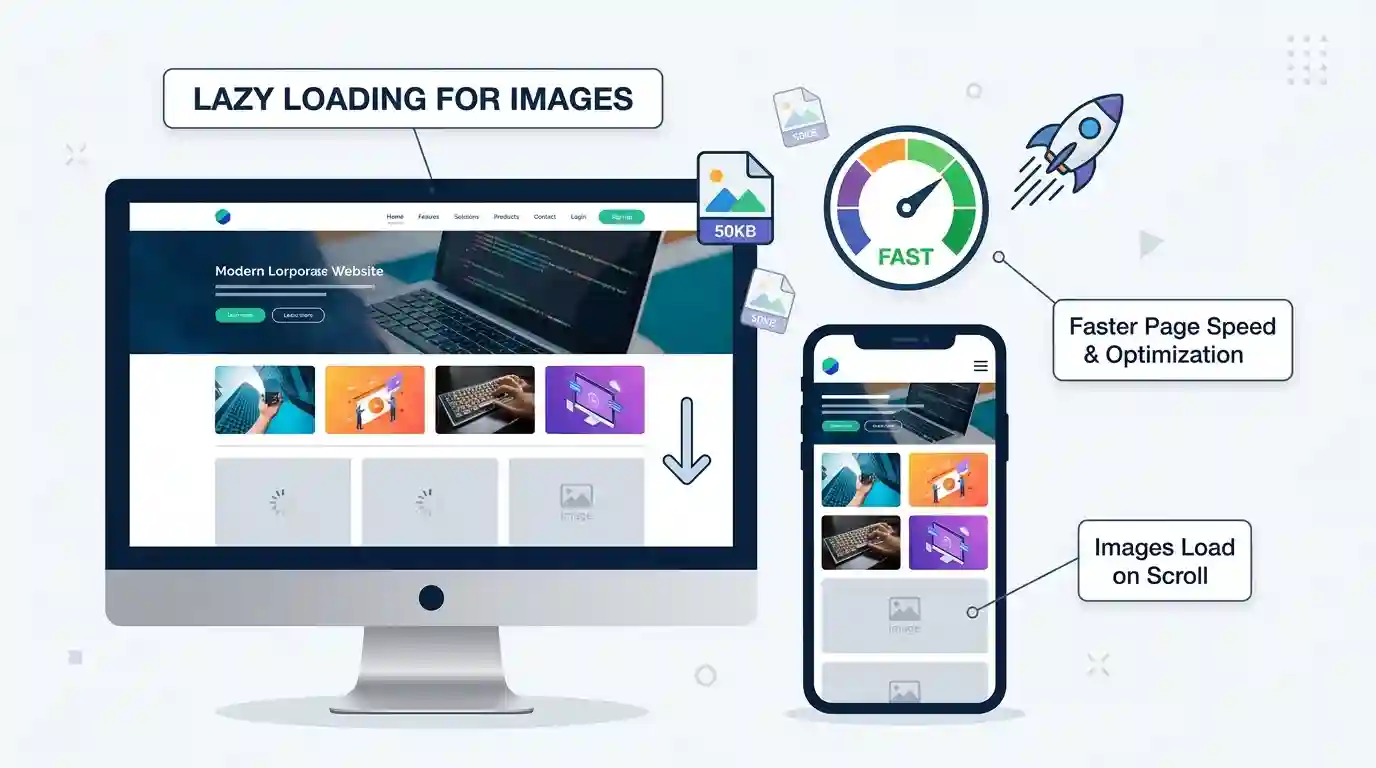
What Is Lazy Loading for Images is a smart web performance technique that delays loading images until they are needed, helping websites load faster, improve user experience, reduce bandwidth usage, and support better SEO performance.
Table of Contents
- What Is Lazy Loading for Images?
- Why Lazy Loading Matters for Website Speed
- How Lazy Loading Images Works
- What Is Lazy Loading for Images in SEO and Core Web Vitals?
- Benefits of Lazy Loading Images
- Best Practices for Lazy Loading Images
- Common Lazy Loading Mistakes to Avoid
- Lazy Loading vs Eager Loading
- Image Optimization Tips Before Lazy Loading
- Conclusion
- FAQs
What Is Lazy Loading for Images
Images make websites more attractive, informative, and engaging. They help explain ideas, showcase products, support tutorials, and improve the overall look of a web page. But there is one major problem: images are often the heaviest assets on a website. If too many images load at once, they can slow down the page, increase bounce rate, and create a poor browsing experience.
This is where lazy loading becomes useful.
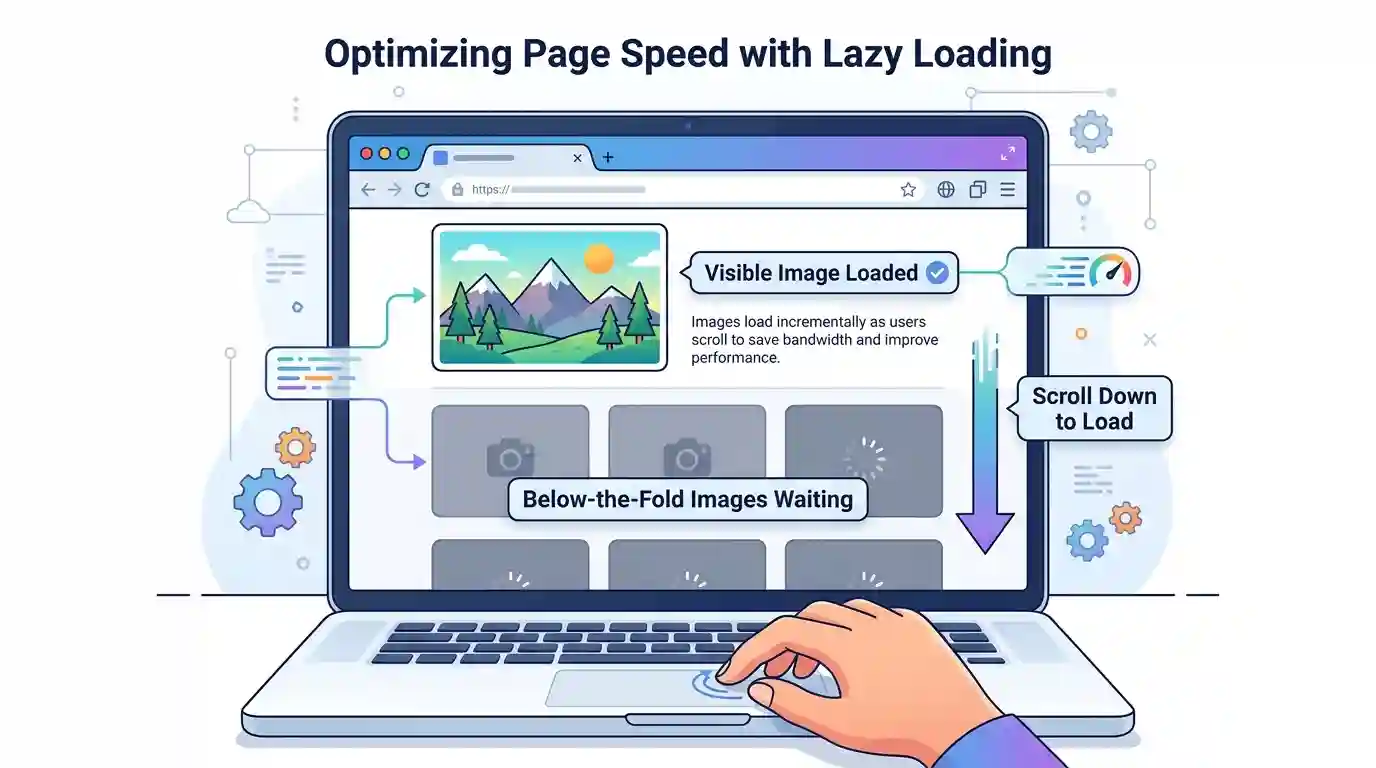
Lazy loading for images is a performance optimization method that loads images only when they are about to appear in the user’s viewport. Instead of downloading every image on the page immediately, the browser waits until the visitor scrolls near that image. This reduces initial page load time, saves bandwidth, and improves perceived performance.
For modern websites, blogs, eCommerce stores, portfolios, landing pages, and image-heavy pages, lazy loading is no longer just a technical improvement. It is an important part of image SEO, user experience optimization, and Core Web Vitals performance.
What Is Lazy Loading for Images? A Simple Definition
Lazy loading for images means delaying the loading of images until they are actually needed. When a user opens a web page, only the images visible at the top of the page are loaded first. Images further down the page are loaded later, usually when the user scrolls close to them.
For example, imagine a blog post with 20 images. Without lazy loading, the browser may try to load all 20 images immediately. This can make the page slow, especially on mobile devices or slower internet connections. With lazy loading enabled, the browser loads only the first few visible images. The remaining images load as the visitor scrolls.
This makes the page feel faster because users can start reading the content without waiting for every image to download.
Why Lazy Loading Matters for Website Speed
Website speed plays a major role in how users interact with your site. If a page takes too long to load, many visitors leave before reading the content. This is especially true for mobile users, where internet speed and device performance can vary widely.
Images are often responsible for a large portion of page weight. High-resolution photos, banners, product images, screenshots, and graphics can slow down the loading process. Lazy loading reduces this problem by limiting how many images are downloaded at the beginning.
When implemented correctly, lazy loading can help improve:
Initial Page Load Time
The browser loads fewer resources at the start, which helps the page become usable faster.
Bandwidth Usage
Images that the user never scrolls to may never be downloaded. This saves data for both the visitor and the website server.
Mobile Performance
Lazy loading is especially helpful for mobile users because mobile networks can be slower and less stable.
User Experience
Visitors can start reading or interacting with the page sooner instead of waiting for every image to load.
In simple terms, lazy loading helps your website focus on what the visitor needs first.
How Lazy Loading Images Works
Lazy loading works by telling the browser not to load certain images immediately. Instead, images are loaded when they are close to appearing on the screen.
Modern browsers support native lazy loading using the loading=”lazy” attribute. This is one of the easiest ways to lazy load images.
Example:
<img src="example-image.jpg" alt="Example image" loading="lazy">
With this attribute, the browser decides when to load the image based on the user’s scrolling behavior, network conditions, and viewport position.
Native Lazy Loading
Native lazy loading is built directly into modern browsers. It does not require a separate JavaScript library. This makes it lightweight, simple, and reliable for most websites.
JavaScript-Based Lazy Loading
Before native lazy loading became common, developers used JavaScript libraries or custom scripts. These scripts often used the Intersection Observer API to detect when an image was close to entering the viewport.
JavaScript-based lazy loading can still be useful for advanced use cases, such as animations, custom placeholders, background images, or complex web applications.
Placeholder Images
Many websites use placeholders before the full image loads. These placeholders can be blurred previews, solid colors, skeleton boxes, or low-quality image previews. They make the loading process feel smoother and prevent layout shifts.
What Is Lazy Loading for Images in SEO and Core Web Vitals?
Search engines care about user experience. A fast, stable, and mobile-friendly website can perform better than a slow and frustrating one. Lazy loading images can support SEO by improving page speed, reducing unnecessary resource loading, and helping visitors engage with content faster.
However, lazy loading must be implemented carefully. If important images are delayed incorrectly, it can hurt performance instead of helping it.
For example, your hero image or main above-the-fold image should usually not be lazy loaded. This is because it is visible immediately when the page opens. Delaying it can negatively affect Largest Contentful Paint, also known as LCP.
Google’s web performance guidance explains browser-level image lazy loading in more detail, including how native lazy loading works and when to use it. You can read more from this authoritative resource here: browser-level image lazy loading guide.
Lazy Loading and Largest Contentful Paint
Largest Contentful Paint measures how quickly the largest visible content element loads. On many websites, this element is a large image, such as a hero banner or featured image.
If the LCP image is lazy loaded, it may load too late. This can make your Core Web Vitals score worse. That is why critical above-the-fold images should usually be loaded eagerly.
Lazy Loading and Cumulative Layout Shift
Cumulative Layout Shift measures unexpected movement on a page. If image dimensions are not defined, the page layout may shift when images finally load.
To avoid this, always set image width and height attributes or use CSS aspect-ratio. This reserves space for the image before it loads.
Lazy Loading and Crawlability
Search engines can usually discover lazy-loaded images if they are implemented properly. However, images should still use real src or srcset attributes where possible, descriptive alt text, and accessible markup.
Avoid hiding important content in scripts that search engines may not process correctly.
Benefits of Lazy Loading Images
Lazy loading offers many benefits for website owners, developers, SEO professionals, and users.
Faster Loading Experience
The biggest benefit is speed. Since the browser loads fewer images at the start, the page can become interactive faster.
Better User Engagement
Fast-loading pages usually create a better first impression. Visitors are more likely to stay, scroll, read, click, and convert.
Reduced Server Load
If users do not scroll through the entire page, some images may never be requested. This reduces server bandwidth and can help lower hosting resource usage.
Improved Mobile Usability
Mobile users often browse on slower connections. Lazy loading helps reduce unnecessary downloads and makes mobile browsing smoother.
Better Performance for Long-Form Content
Blog posts, tutorials, galleries, product listings, and review articles often contain many images. Lazy loading helps these long pages remain fast and usable.
Improved Conversion Potential
For eCommerce stores and landing pages, faster loading can support better conversions. When pages feel quick and responsive, users are less likely to abandon them.
Best Practices for Lazy Loading Images
Lazy loading is powerful, but it should be used strategically. Poor implementation can cause SEO issues, layout shifts, or delayed loading of important visuals.
Do Not Lazy Load Above-the-Fold Images
Images visible immediately when the page loads should usually load normally. This includes hero images, featured images, logo images, and important banners.
For these images, use eager loading or allow the browser to load them as high-priority assets.
Use Native Lazy Loading When Possible
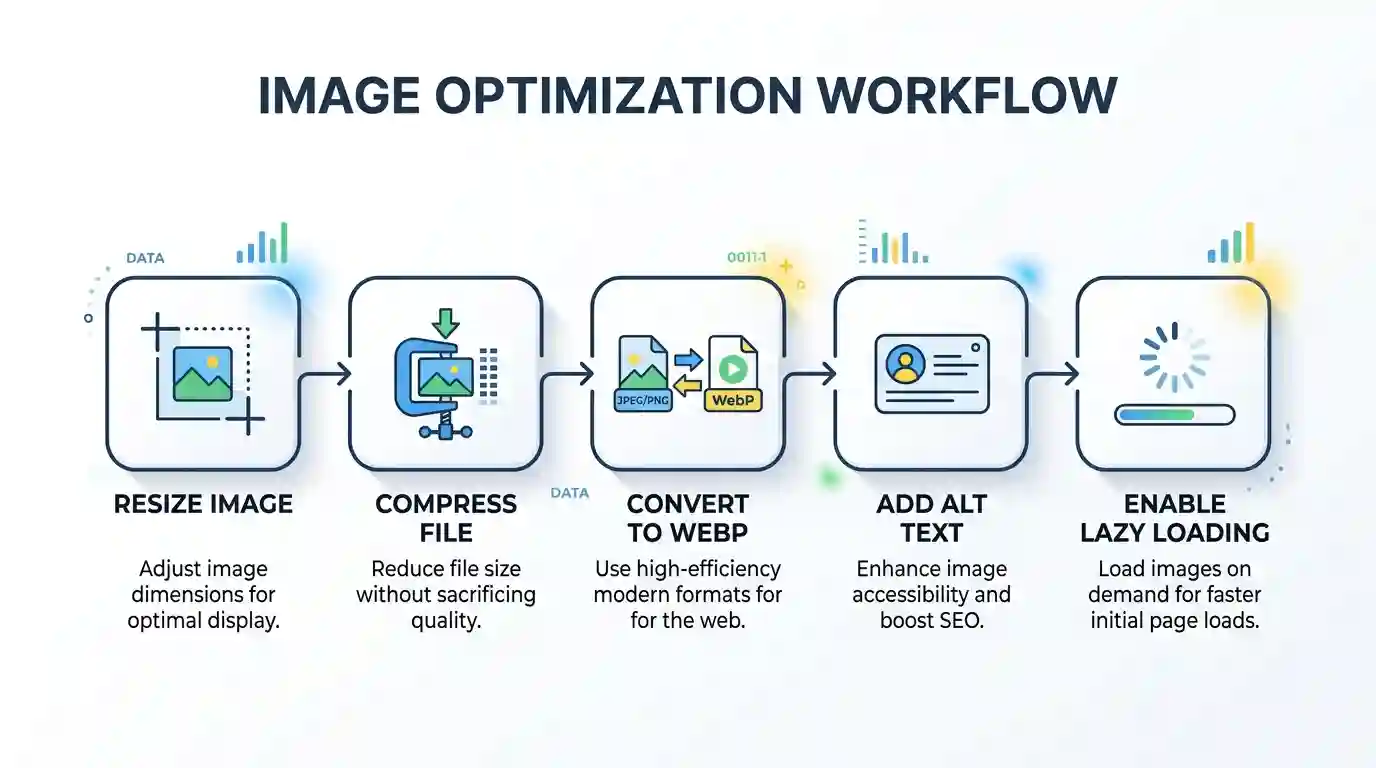
For most websites, native lazy loading is enough. The loading=”lazy” attribute is simple and efficient.
Example:
<img src="blog-image.webp" alt="Optimized blog image" width="1200" height="800" loading="lazy">
Always Add Width and Height
Defining image dimensions prevents layout shifts. This makes the page more stable and improves user experience.
Use Descriptive Alt Text
Alt text helps accessibility and image SEO. It should describe the image clearly and naturally.
Avoid keyword stuffing. Instead of writing:
“lazy loading lazy loading image lazy loading SEO”
Use:
“Example of images loading as a user scrolls down a web page.”
Optimize Image Format
Lazy loading helps performance, but it does not replace image optimization. Large uncompressed images can still slow down your site when they eventually load.
Use modern formats like WebP where possible. If you need to convert JPG images into a lighter modern format, try this JPG → WebP Converter.
Compress Images Before Uploading
Before lazy loading images, reduce file size through compression. Smaller files load faster and consume less bandwidth.
Use Responsive Images
Responsive images help browsers choose the right image size for each device. This prevents mobile users from downloading oversized desktop images.
Use srcset and sizes attributes where appropriate.
Test Your Website Performance
After enabling lazy loading, test your page using tools like PageSpeed Insights, Lighthouse, Chrome DevTools, or WebPageTest. Look for changes in LCP, CLS, total page weight, and loading behavior.
Image Optimization Tips Before Lazy Loading
Lazy loading works best when combined with a complete image optimization strategy. If images are poorly sized, uncompressed, or in outdated formats, lazy loading alone will not solve all performance problems.
Convert Heavy Image Formats
Some image formats create larger files than necessary. For example, JPG is common for photos, but WebP often provides better compression with good visual quality.
HEIC images, often used by iPhones, may not be ideal for direct web publishing. If you work with iPhone images, this guide on How to Convert HEIC to JPG can help prepare images for broader compatibility.
Resize Images to Display Dimensions
Do not upload a 5000-pixel-wide image if it only displays at 900 pixels wide. Resize images before uploading them to your website.
Use WebP or AVIF When Suitable
WebP and AVIF are modern image formats designed for better compression. They can reduce file size while maintaining quality.
Add Image Caching
Caching allows browsers to store images locally after the first visit. This makes repeat visits faster.
Use a CDN
A content delivery network stores image files across multiple global servers. This helps deliver images faster to users in different regions.
Lazy Loading vs Eager Loading
Lazy loading and eager loading are two different ways to handle image loading.
Lazy loading delays image loading until the image is needed. Eager loading loads the image immediately.
Both methods have their place.
When to Use Lazy Loading
Use lazy loading for:
- Images below the fold
- Long blog post images
- Product listing images further down the page
- Gallery images
- Related post thumbnails
- Footer images
- Non-critical decorative visuals
When to Use Eager Loading
Use eager loading for:
- Hero images
- Featured images visible at the top
- Logos
- Above-the-fold banners
- Important product images visible immediately
- LCP images
The goal is not to lazy load every image. The goal is to load the right images at the right time.
Common Lazy Loading Mistakes to Avoid
Lazy loading is easy to implement, but many websites use it incorrectly.
Lazy Loading the Hero Image
This is one of the most common mistakes. If your hero image is the largest visible element, lazy loading it can delay LCP and hurt performance.
Not Reserving Image Space
If the browser does not know the image size before loading, content may jump when the image appears. This creates layout shift.
Using Lazy Loading for All Images
Not every image should be lazy loaded. Critical images should load quickly.
Forgetting Alt Text
Lazy loading does not remove the need for proper image SEO. Every meaningful image should have descriptive alt text.
Using Very Large Images
Lazy loading large images only delays the problem. Once the image appears, it still has to download. Optimize file size first.
Relying Only on Plugins
WordPress plugins and CMS tools can help, but they may not always make the best decision for every image. Review your settings and test the final result.
How Lazy Loading Improves User Experience
A good website feels fast, smooth, and easy to use. Lazy loading supports this by reducing waiting time and making content available sooner.
When a visitor opens a page, they usually care about the visible content first. They do not need images at the bottom of the article immediately. Lazy loading matches the loading process to the user’s actual behavior.
This creates a more efficient browsing experience.
Faster Reading Start
Users can begin reading without waiting for every image.
Smoother Scrolling
Proper lazy loading with placeholders can make scrolling feel natural and polished.
Lower Data Usage
Mobile users benefit from reduced data consumption, especially if they do not scroll through the full page.
Better Perceived Speed
Even if the full page is not loaded yet, the user feels like the page is ready because the visible content appears quickly.
Lazy Loading for WordPress Websites
Many WordPress websites use lazy loading by default or through performance plugins. Modern WordPress versions include native lazy loading for images, but optimization still depends on the theme, plugins, image sizes, and page builder settings.
WordPress Lazy Loading Tips
Check whether your theme lazy loads the featured image. If it does, make sure it is not hurting LCP.
Use performance plugins carefully. Some plugins offer advanced controls, such as excluding above-the-fold images from lazy loading.
Optimize your media library by compressing images, converting formats, and removing unused images.
Test important pages after making changes. Your homepage, product pages, blog posts, and landing pages may behave differently.
Lazy Loading for eCommerce Websites
eCommerce websites often contain many product images, category thumbnails, banners, reviews, and related product sections. Lazy loading can make these pages faster and easier to browse.
Product Listing Pages
Category pages may show dozens of product images. Lazy loading images below the first visible row can reduce initial load time.
Product Detail Pages
The main product image should usually load eagerly, especially if it appears above the fold. Additional gallery images can often be lazy loaded.
Conversion Impact
A faster shopping experience can reduce frustration. When customers can browse products smoothly, they are more likely to continue shopping.
Technical Checklist for Lazy Loading Images
Use this checklist before publishing or updating a page:
Basic Image Loading Checklist
- Add loading=”lazy” to below-the-fold images
- Avoid lazy loading the LCP image
- Add width and height attributes
- Use descriptive alt text
- Compress images before upload
- Convert large images to WebP or another modern format
- Use responsive image sizes
- Test on mobile and desktop
- Check Core Web Vitals
- Monitor layout shifts
Developer Checklist
- Use native lazy loading where possible
- Use Intersection Observer for advanced cases
- Avoid hiding image URLs from crawlers
- Provide fallback behavior if JavaScript fails
- Use placeholders or blurred previews carefully
- Preload critical above-the-fold images when necessary

Conclusion
Lazy loading for images is one of the simplest and most effective ways to improve website speed, reduce bandwidth usage, and create a better user experience. Instead of forcing the browser to load every image immediately, lazy loading prioritizes what the visitor needs first.
For SEO, lazy loading can support better performance metrics, especially when combined with proper image compression, responsive images, modern formats, caching, and thoughtful technical implementation. However, it should be used carefully. Do not lazy load important above-the-fold images, especially the main hero image or LCP image.
The best approach is balanced: load critical images immediately, lazy load below-the-fold images, optimize file size, use descriptive alt text, and test your pages regularly.
When done correctly, lazy loading helps your website feel faster, perform better, and deliver a smoother experience for both users and search engines.
FAQs
What is lazy loading for images?
Lazy loading for images is a web performance technique that delays loading images until they are close to appearing on the user’s screen. This helps reduce initial page load time and saves bandwidth.
Is lazy loading good for SEO?
Yes, lazy loading can be good for SEO when implemented correctly. It can improve page speed and user experience, which are important for search performance. However, critical above-the-fold images should not be delayed.
Should I lazy load all images?
No. You should lazy load below-the-fold images, but important images visible immediately, such as hero images, logos, and LCP images, should usually load normally.
Does lazy loading improve page speed?
Yes, lazy loading can improve perceived and initial page speed by reducing the number of images loaded when the page first opens.
Can lazy loading hurt Core Web Vitals?
Lazy loading can hurt Core Web Vitals if used incorrectly. For example, lazy loading the largest above-the-fold image can delay Largest Contentful Paint.
What is the best way to lazy load images?
The easiest method is to use the native loading=”lazy” attribute for below-the-fold images. For advanced cases, developers may use JavaScript and the Intersection Observer API.
Is lazy loading useful for mobile websites?
Yes. Lazy loading is especially useful for mobile users because it reduces unnecessary downloads and helps pages load faster on slower networks.
Do lazy-loaded images get indexed by Google?
Lazy-loaded images can be indexed if implemented correctly. Use proper image markup, real image URLs, descriptive alt text, and avoid hiding important images behind scripts that search engines cannot process.
What is the difference between lazy loading and image compression?
Lazy loading controls when an image loads. Image compression reduces the file size of the image. For best performance, use both together.
Which images should not be lazy loaded?
Do not lazy load hero images, logos, above-the-fold banners, featured images visible at page load, or any image that is likely to be the Largest Contentful Paint element.