
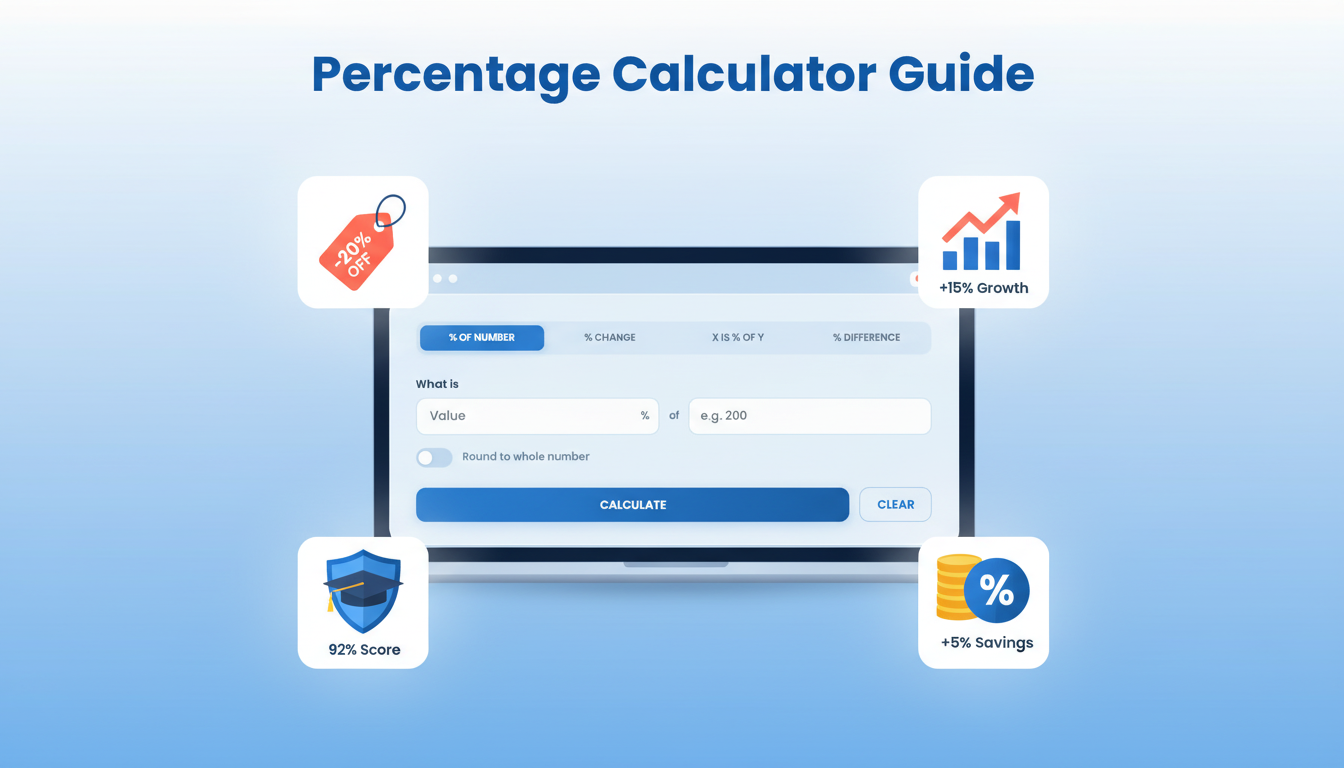
Summary: An online percentage calculator is one of the most practical free tools available on the internet, enabling anyone to instantly solve the four core types of percentage problems — finding a percentage of a number, calculating percentage change, determining what per cent one number is of another, and measuring the percentage difference between two values. This guide covers every aspect of how to use the free online percentage calculator at FastTaskTools, from understanding which calculation mode to choose to interpreting your results, avoiding common mistakes, and applying percentage math across real-world scenarios in finance, education, business, and daily life.
Outline
How to Use an Online Percentage Calculator: A Complete Step-by-Step Guide
- What Is an Online Percentage Calculator and Why Do You Need One?
- Understanding the Four Calculation Modes
- Step-by-Step Guide: How to Use Each Mode
- Reading and Interpreting Your Results
- Percentage Change vs. Percentage Difference — Why the Distinction Matters
- Real-World Use Cases: When and How to Apply Each Mode
- Common Percentage Calculation Mistakes and How to Avoid Them
- The Math Behind the Formulas — A Plain-Language Primer
- Tips for Getting Accurate Results Every Time
- Online Percentage Calculator vs. Standard Calculator
- Frequently Asked Questions
What Is an Online Percentage Calculator and Why Do You Need One?
Percentages are woven into nearly every domain of modern life. From calculating how much you saved on a sale to understanding how much your business grew last quarter, from converting a student’s test score into a grade to comparing two competing vendors’ prices, percentage math is inescapable. Yet most people find it frustrating, error-prone, or simply time-consuming to do without assistance.
A free online percentage calculator solves this problem by doing the arithmetic instantly, accurately, and without requiring any prior knowledge of formulas. You enter your numbers, select the right calculation type, and the tool delivers not just the answer but a full breakdown of how it was derived.
The Problem with Manual Percentage Math
Manual percentage calculations are deceptively tricky. The formula for each type of percentage problem is slightly different, and it is easy to apply the wrong one, or apply the right one in the wrong order. Even people who are comfortable with basic arithmetic often stumble when asked to calculate percentage change versus percentage difference, or when working with numbers that are not round and clean.
A physical calculator can technically do percentage math, but only if you already know the correct formula and sequence of operations. One transposed number or missed step and you get a plausible-looking wrong answer — often without any way to catch the error. Online calculators designed specifically for percentage calculations remove this friction entirely.
What Makes a Good Online Percentage Calculator?
Not all percentage calculators are equally useful. The best ones offer all four fundamental calculation modes in a single interface, display supporting context alongside the headline result, explain the formula they used in plain language, work entirely in your browser without storing or transmitting your data, and load without intrusive advertising or required registration.
The FastTaskTools Percentage Calculator meets all of these criteria. It offers a clean, tab-based interface for all four modes, returns a full stats grid with contextual figures, and writes out the formula in plain English with your actual numbers substituted in — making it genuinely educational as well as functional.
Understanding the Four Calculation Modes
Before walking through the step-by-step usage guide, it helps to understand what each of the four modes is actually doing mathematically and when each one is the right choice for your situation.
Mode 1 — Percentage of a Number
Formula: Result = (Percentage ÷ 100) × Number
This is the most frequently used percentage calculation in everyday life. You use it when you know a rate (the percentage) and a total (the number), and you want to find the corresponding value. Classic examples include calculating a discount amount, finding the tax on a purchase, computing interest due on a loan, or determining how much to tip at a restaurant.
The result tells you the portion of the whole that corresponds to the specified rate. If you enter 20% of 500, the result is 100 — meaning 100 is 20% of 500, and 400 is the remaining 80%.
Mode 2 — Percentage Change (Increase or Decrease)
Formula: Percentage Change = ((New Value − Old Value) ÷ |Old Value|) × 100
Percentage change is a directional calculation. It always has a baseline — the original or starting value — and measures how much a new value has moved relative to that baseline. A positive result indicates growth or increase; a negative result indicates a decline or decrease.
This mode is the right choice whenever time, sequence, or direction matters: comparing this month’s sales to last month’s, tracking how a stock price has moved, measuring improvement in a student’s score across two terms, or calculating inflation.
Mode 3 — X Is What Percentage of Y?
Formula: Percentage = (Part ÷ Whole) × 100
This mode answers a different kind of question. You know both numbers already — you just want to express their relationship as a percentage rate. How much of the budget has been spent? What percentage of applicants were admitted? What share of your daily calorie target does this meal represent?
The answer tells you the ratio, expressed as a proportion of 100. If 45 is entered as the part and 180 as the whole, the result is 25% — meaning 45 is one-quarter of 180.
Mode 4 — Percentage Difference Between Two Values
Formula: Percentage Difference = (|A − B| ÷ ((|A| + |B|) ÷ 2)) × 100
The percentage difference is non-directional. It is used when you are comparing two peer values — neither of which is the “baseline” or “before” — and you want to express the gap between them as a percentage. The denominator in this formula is the average of the two values, which means the result is symmetric: swapping A and B gives the same answer.
Use this mode for scientific comparisons, competitive benchmarking, quality control comparisons, and any situation where two parallel things are being evaluated side by side without an implied before/after relationship.
Step-by-Step Guide: How to Use Each Mode
How to Use the “% of Number” Mode
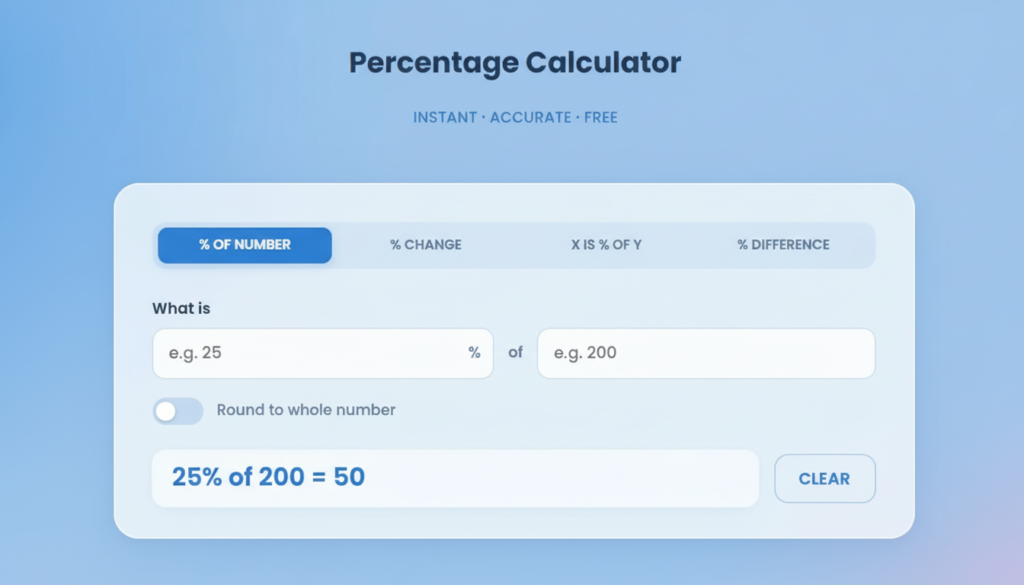
- Navigate to the FastTaskTools Percentage Calculator and confirm the “% of Number” tab is selected (it is the default active mode).
- In the first field (labelled with a % symbol), enter the percentage rate. For example, if you want to find 15% of something, type 15.
- In the second field, enter the total number. For example, if the number is 240, type 240 there.
- Optionally, toggle “Round to whole number” if you want an integer result rather than a decimal.
- Click Calculate.
- The result card will display: the calculated amount (in this case, 36), the remainder (204), and the original number (240) — confirming the math is coherent.
Practical example: A restaurant bill comes to $74. You want to leave an 18% tip. Enter 18 in the percentage field and 74 in the number field. Result: $13.32. The stats grid also shows the remainder — $74 — which is the original bill, confirming your tip is calculated on top of the base amount.
How to Use the “% Change” Mode
- Click the % Change tab.
- In the “Original value” field, enter the starting number — the baseline, the “before” figure.
- In the “New value” field, enter the ending number — the “after” figure.
- Toggle “Show absolute change only” if you want only the raw numerical difference without the percentage rate (useful for simple arithmetic checks).
- Click Calculate.
- The result shows the percentage increase or decrease, the absolute difference, and both the original and new values in the stats grid.
Practical example: A product’s price rose from $80 to $108. Enter 80 as the original value and 108 as the new value. Result: +35% increase. The absolute change shown is $28, which is the raw difference. Both figures appear together, giving you a complete picture of the price movement.
How to Use the “X is % of Y” Mode
- Click the X is % of Y tab.
- In the first field, enter the part — the smaller or specific value.
- In the second field, enter the whole — the total or reference value.
- Toggle “Show 2 decimal places” if precision matters for your use case.
- Click Calculate.
- The result shows the percentage relationship, along with the part, the whole, and the remaining percentage in the stats grid.
Practical example: A student answered 43 out of 55 questions correctly. Enter 43 as the part and 55 as the whole. Result: 78.18%. The remaining percentage (21.82%) also appears, showing at a glance how far the student is from a perfect score.
How to Use the “% Difference” Mode
- Click the % Difference tab.
- Enter the first value in the “Value A” field.
- Enter the second value in the “Value B” field.
- Click Calculate.
- The result shows the percentage difference, the absolute gap between the two values, and the average of A and B — the denominator used in the formula.
Practical example: Two suppliers quote $340 and $420 for the same service. Enter 340 as Value A and 420 as Value B. Result: approximately 21.05% difference. Because this uses the average ($380) as the denominator, neither price is treated as “correct” — the comparison is symmetric and fair.
Reading and Interpreting Your Results
Every calculation on this tool returns far more than just a single number. Understanding the full result card makes the tool considerably more useful.
The Hero Number
The large figure at the top of the result card is your primary answer — the direct response to the question you asked. It is formatted for immediate readability, with the appropriate unit (a percentage symbol or a plain number) displayed clearly beside it.
The Supporting Stats Grid
Beneath the hero number are three boxes containing supporting context. The specific figures in these boxes vary by mode, but the principle is the same: they provide the surrounding mathematical context so you can verify the answer makes intuitive sense and extract additional useful information without running a second calculation.
For the percentage of a number, you see the result, the remainder, and the original number. For percentage change, you see the absolute difference, the percentage change, and the new value. For X is % of Y, you see the part, the whole, and the remaining percentage. For the percentage difference, you see the absolute gap, the average of the two values, and the percentage difference.
The Explanatory Info Box
At the bottom of the result card is a plain-language explanation that writes out the formula used and substitutes your actual numbers into it. This makes the calculation transparent and reproducible — particularly helpful for students learning percentage math, or for anyone who needs to explain or document their calculation to someone else.
Percentage Change vs. Percentage Difference — Why the Distinction Matters
One of the most common conceptual errors in percentage math is treating “percentage change” and “percentage difference” as interchangeable. They are not, and using the wrong one can lead to misleading figures — especially in professional and financial contexts.
Percentage change is always anchored to a specific starting point. It tells you how much a value has moved relative to where it began. This means the result is asymmetric: a move from 100 to 150 is a 50% increase, but the reverse — from 150 to 100 — is only a 33.3% decrease, not 50%, because the starting point has changed.
Percentage difference uses the average of the two values as its reference point, making it symmetric and directionless. Moving from 100 to 150 gives the same percentage difference as moving from 150 to 100 — approximately 40% in both directions — because the same average (125) is used as the denominator.
The practical rule is straightforward: if there is a clear “before” and “after” — if time, cause, or change is involved — use percentage change. If you are simply comparing two parallel things with no implied direction, use percentage difference. For a deeper understanding of how ratios and proportional reasoning underpin all percentage math, Khan Academy’s comprehensive ratio and percentage resources offer free, well-structured explanations with worked examples.
Real-World Use Cases: When and How to Apply Each Mode
Shopping Discounts and VAT Calculations
Retail is one of the most common contexts for percentage calculations. When a jacket is listed at $150 with a 30% discount, the “% of Number” mode immediately tells you the discount amount ($45) and the final price ($105) in a single calculation — the remainder shown in the stats grid is your checkout price.
For VAT or sales tax, the same mode applies: enter the tax rate as a percentage and the pre-tax price as a number to find the tax amount. Add that to the base price for the total. To work backwards from a tax-inclusive total (reverse percentage calculation), divide the total by 1 plus the rate as a decimal — for example, a $107 total with a 7% tax rate: $107 ÷ 1.07 = $100 pre-tax price.
Business Growth and Revenue Tracking
Month-over-month revenue comparisons, year-over-year growth rates, customer retention rates, and conversion rate changes all call for the percentage change mode. A business that grew from $42,000 in monthly revenue to $57,540 has experienced a 37% increase, and seeing both the percentage and the absolute dollar change together ($15,540) gives stakeholders a more complete picture than either figure alone.
Profit margin calculations use the “X is % of Y” mode: if profit is $8,400 and revenue is $56,000, then the profit margin is exactly 15%.
Academic Grading and Test Score Conversion
Teachers calculating grades, students checking their scores, and administrators analysing pass rates all rely on the “X is % of Y” mode. A score of 38 out of 50 becomes 76% instantly. When tracking improvement across two exams — say a student moved from 62% to 79% — the percentage change mode quantifies the growth: a 27.4% improvement relative to the original score.
Nutritional and Health Calculations
Dietary tracking applications frequently express nutrients as percentages of daily recommended values. If a meal contains 680 calories and your daily target is 2,000, the “X is % of Y” mode tells you that the meal represents 34% of your daily intake — leaving 66% (1,320 calories) for the rest of the day, shown automatically in the remaining percentage figure.
Body weight changes are tracked with percentage change: losing 8 pounds from a starting weight of 185 pounds represents a 4.3% decrease — a figure that puts the absolute change in meaningful proportional context.
Competitive Price Comparison
When evaluating two vendors, two products, or two investment options with no implied “correct” baseline, the percentage difference mode gives a symmetric, fair comparison. Two contractors quoting $4,200 and $5,800 for the same job differ by approximately 32.1% — calculated using their average ($5,000) as the reference, ensuring neither quote is artificially privileged.
Common Percentage Calculation Mistakes and How to Avoid Them
Confusing Percentage Points with Percentage Change
This is one of the most widespread errors in financial and political reporting. If an interest rate rises from 3% to 4%, it has increased by 1 percentage point — but it has increased by 33.3% as a percentage change (since 1 is 33.3% of 3). The two framings tell very different stories. Percentage points describe absolute movement on a percentage scale; percentage change describes the relative movement. Always be explicit about what you mean.
Reversing the Part and Whole
In the “X is % of Y” mode, the order of inputs matters critically. Entering 150 as the part and 30 as the whole gives a result of 500% — which is mathematically valid but answers the wrong question. The part is always the specific value whose proportional relationship you are exploring; the whole is always the total reference value. If you are asking “what percentage of the total budget is the marketing spend?”, the marketing spend is the part, and the total budget is the whole.
Misunderstanding Symmetry in Gains and Losses
A 50% loss followed by a 50% gain does not return you to your starting point. If you begin with $1,000 and lose 50%, you have $500. A subsequent 50% gain on $500 gives you $750 — not $1,000. The percentage operations are not symmetric because the base changes between calculations. This counterintuitive property of percentage math is one of the most important concepts for anyone making investment decisions or tracking financial performance over multiple periods.
The Math Behind the Formulas — A Plain-Language Primer
Why Percentages Are Just Fractions in Disguise
The word “percentage” comes from the Latin per centum — literally “per hundred.” A percentage is simply a ratio with a standardised denominator of 100. When you say 35%, you mean 35 out of 100, or 0.35 as a decimal, or 7/20 as a simplified fraction. Every percentage problem, regardless of its apparent complexity, is ultimately a ratio problem.
This means the core operation in every percentage calculation is either multiplication (scaling a value by a ratio) or division (finding what ratio one value bears to another). The formulas differ only in which variable is unknown and which are given.
Why a 50% Loss Followed by a 50% Gain Doesn’t Break Even
This follows directly from the changing base problem described above. When you apply a percentage change, you always apply it to the current value — not the original one. After a 50% loss, the base has shrunk. A 50% gain applied to the smaller base generates less in absolute terms than the original 50% loss removed. This asymmetry means that losses and gains of equal percentage magnitude do not cancel out — losses always require a proportionally larger gain to recover. A 50% loss requires a 100% gain to break even. A 25% loss requires a 33.3% gain. Understanding this is fundamental to sound financial reasoning.
Tips for Getting Accurate Results Every Time
Selecting the right mode is the single most important factor in getting accurate results. Before entering any numbers, ask yourself one orienting question: “Is there a direction or baseline involved, or am I simply comparing two parallel things?” If there is a direction — a before and after, a starting point and a destination — use percentage change. If there is not, use the percentage difference.
Beyond mode selection, keep these practical guidelines in mind. Always identify which number is the part and which is the whole before using the “X is % of Y” mode. When calculating discounts, remember that the discounted amount and the final price are both present in your result — the remainder figure in the stats grid is your actual price. For tax calculations, confirm whether the percentage applies to the pre-tax or post-tax figure before entering values. And for any calculation that will be used in a formal report or financial document, double-check the result by estimating the answer mentally first — a quick sanity check catches input errors before they propagate.
Online Percentage Calculator vs. Standard Calculator
A standard physical or digital calculator can technically perform any percentage operation — but it requires you to know the formula, enter it in the correct sequence, and interpret the output yourself. For a single, familiar calculation, this works well enough. For less common problems (percentage difference, reverse percentage, multi-step comparisons), the cognitive load increases substantially, and the risk of error rises with it.
A dedicated percentage calculator like the one at FastTaskTools offers several meaningful advantages. It presents your result in context, with supporting figures that help you verify and understand the answer. It writes out the formula in plain language, making the reasoning transparent. It handles edge cases — division by zero, negative inputs — gracefully and clearly. And it eliminates the need to remember which formula applies to which type of problem, since the four modes are clearly labelled and described.
For anyone who works regularly with data, finances, academic scores, or business metrics, a dedicated percentage calculator is simply a faster, safer, and more informative tool than a general-purpose calculator for this class of problem.
Frequently Asked Questions
What is the fastest way to estimate a percentage in my head? The most efficient mental shortcut is to find 10% first by shifting the decimal point one position to the left. From there, you can build up any round percentage: 20% is double the 10% figure, 5% is half of it, 25% is two and a half times it, and so on. For non-round percentages or any situation where precision matters, the online calculator will always be faster and more reliable than mental arithmetic.
Can I use this calculator for sales tax or VAT? Yes. To find the tax amount on a pre-tax price, use the “% of Number” mode: enter the tax rate and the pre-tax price. The result is the tax amount; the remainder in the stats grid gives you the pre-tax price confirmed. To recover the original pre-tax price from a total that already includes tax, divide the total by (1 + rate/100).
What is the difference between a percentage and a percentile? A percentage is a proportion expressed as a fraction of 100 — it describes a part of a whole. A percentile is a ranking position within a dataset: the 90th percentile means 90% of values in the dataset fall below that point. Percentiles are used in standardised testing, growth charts, and statistical analysis; they describe relative rank, not an absolute proportion.
Does this tool store any of my input data? No. All calculations are performed entirely within your browser using JavaScript. No data is sent to a server, no inputs are logged, and nothing persists after you close or refresh the page.
What if I need to calculate compound interest or more complex financial percentages? The four modes in this tool cover the most common everyday and professional percentage calculations. For multi-period compound interest, amortisation schedules, or present value calculations, a dedicated financial calculator offers the additional formula structures required. For those calculations paired with text-based analysis and reporting, combining this percentage tool with a free word counter tool for content measurement gives you a powerful, browser-based analytical workspace at no cost.