
Summary
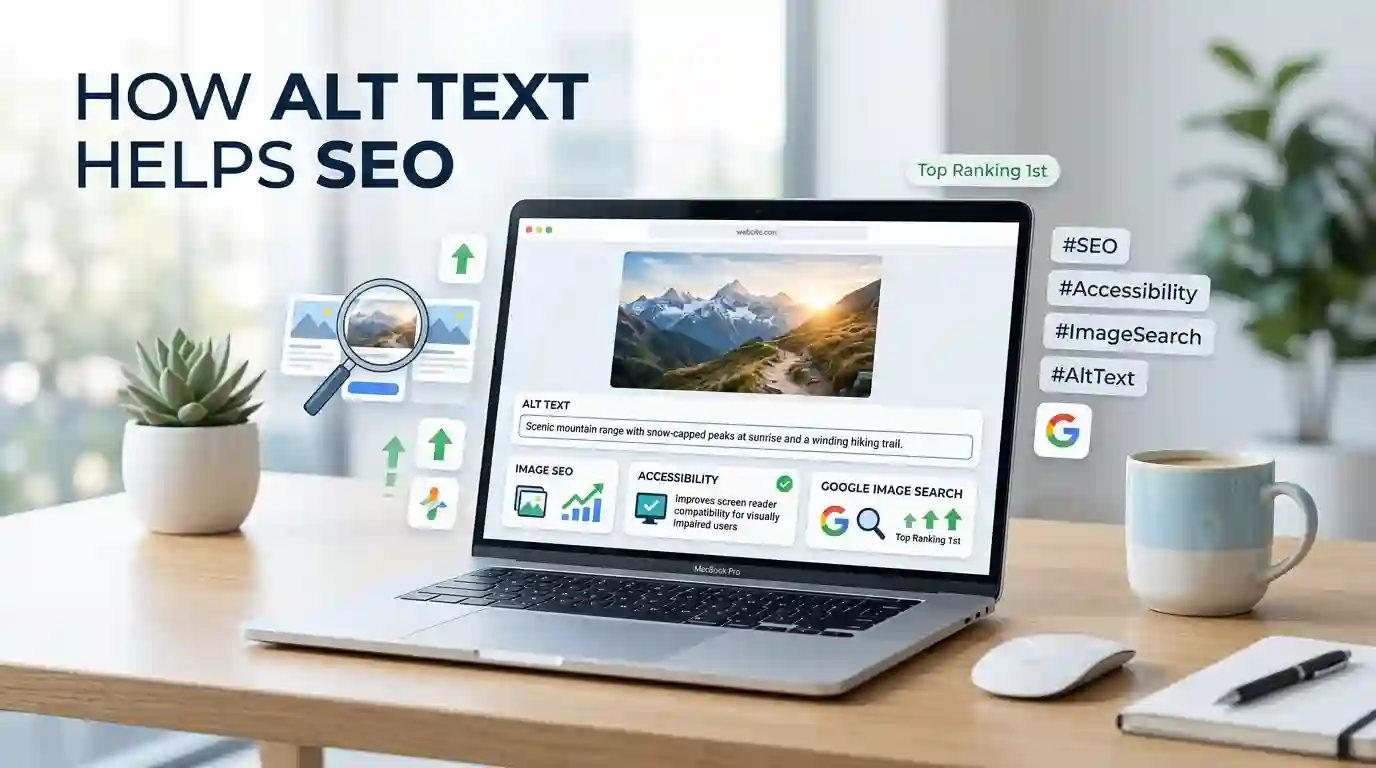
How Alt Text Helps SEO is simple: it gives search engines and users a clear description of an image, improves accessibility, strengthens page relevance, and can help your images appear in Google Image Search. Good alt text is not about stuffing keywords into every image. It is about writing useful, accurate, and natural image descriptions that support the topic of the page.
Alt text helps when an image cannot load, when a screen reader needs to explain an image to a visually impaired user, and when search engines need extra context to understand what the image shows. For websites that publish blogs, product pages, tools, tutorials, local service pages, or visual guides, alt text is a small but important part of on-page SEO and image optimization.
Table of Content
- What Is Alt Text?
- Why Alt Text Matters for Search Engines
- How Alt Text Helps SEO for Image Search
- How Alt Text Helps SEO for Accessibility and User Experience
- The Difference Between Alt Text, Image Title, Caption, and Filename
- Best Practices for Writing SEO-Friendly Alt Text
- Common Alt Text Mistakes to Avoid
- Alt Text Examples for Different Website Types
- How Alt Text Works with Image File Names and Formats
- Conclusion
- FAQs
What Is Alt Text?
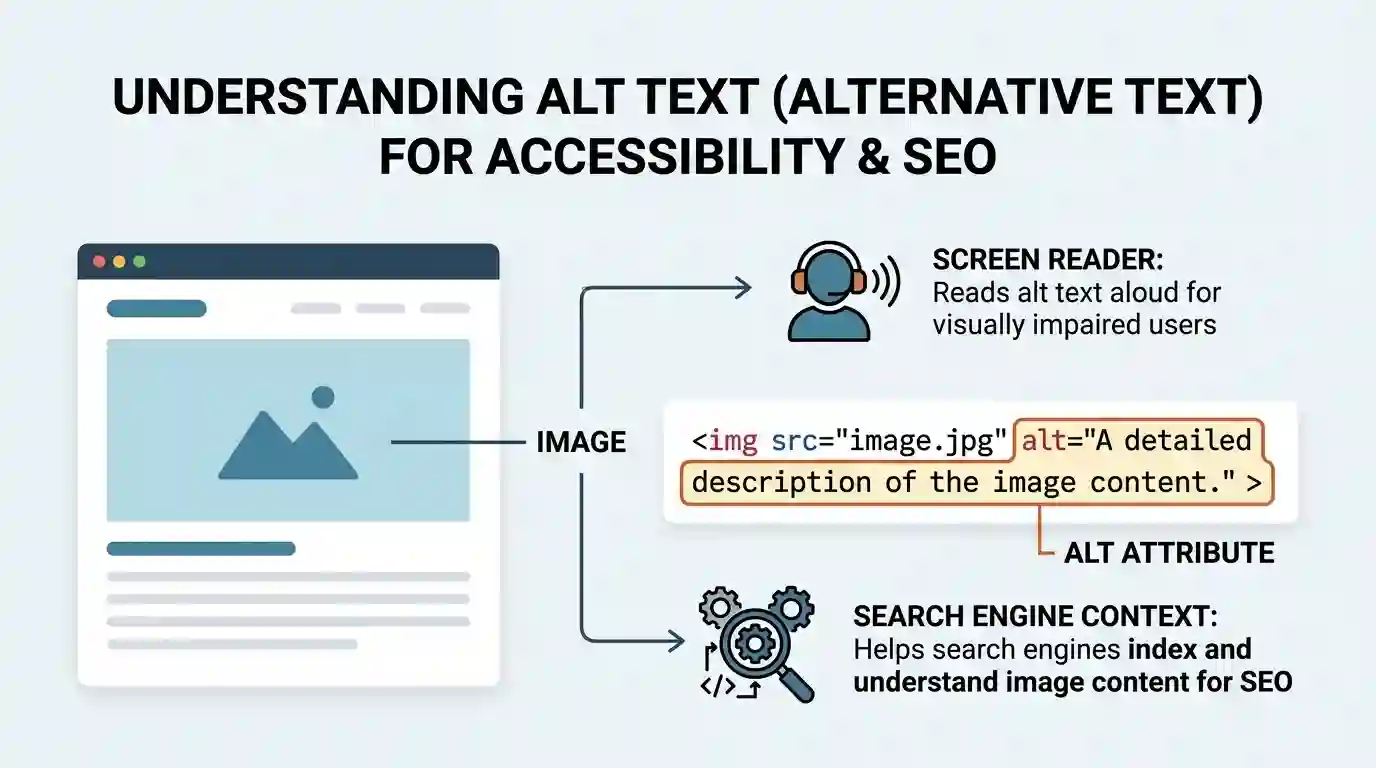
Alt text, also called alternative text or an alt attribute, is a short written description added to an image in a webpage’s code. It explains what the image shows and why it matters in the context of the page.
For example, if a blog post includes an image of a laptop showing an SEO dashboard, the alt text might be:
“SEO dashboard showing image traffic and keyword rankings on a laptop screen.”
This description helps users and search engines understand the image even if they cannot see it directly. When an image does not load because of a slow connection, broken file path, browser issue, or blocked media, the alt text can appear in place of the image. Screen readers also use alt text to describe images to users who rely on assistive technology.
Alt text is usually added inside the image tag. In simple terms, it works like this:
<img src="seo-dashboard.jpg" alt="SEO dashboard showing image traffic and keyword rankings">
The visitor does not normally see the alt text on the page unless the image fails to load. Search engines, browsers, and screen readers can read it.
Alt text should be short, useful, and specific. It should not be a long paragraph. It should not repeat the same keyword again and again. It should describe the image in a way that makes sense to a real person.
Why Alt Text Matters for Search Engines
Search engines are much better at understanding images than they used to be, but they still rely on surrounding signals. These signals include the page topic, heading structure, image filename, caption, structured data, nearby text, and alt text.
Alt text gives search engines a direct clue about what the image represents. If your image supports the topic of the page, the alt text helps connect that image to the page’s overall meaning.
For example, a page about image conversion may include screenshots, format examples, compression graphics, or before-and-after file size comparisons. If those images have clear alt text, search engines can better understand how the visuals support the page topic.
This is especially useful for:
- Blog articles
- Product pages
- Tool pages
- How-to guides
- Local service pages
- Recipe pages
- Portfolio pages
- E-commerce category pages
- Infographics
- Comparison tables
- Screenshots and tutorials
Alt text is not the only factor that helps an image rank. Image quality, page authority, content relevance, loading speed, mobile usability, image format, filename, and structured data also matter. But alt text is one of the easiest image SEO improvements to control.
A helpful external resource is Google’s official guide on image SEO best practices, which explains how descriptive image information can support Google Images visibility.
How Alt Text Helps SEO for Image Search
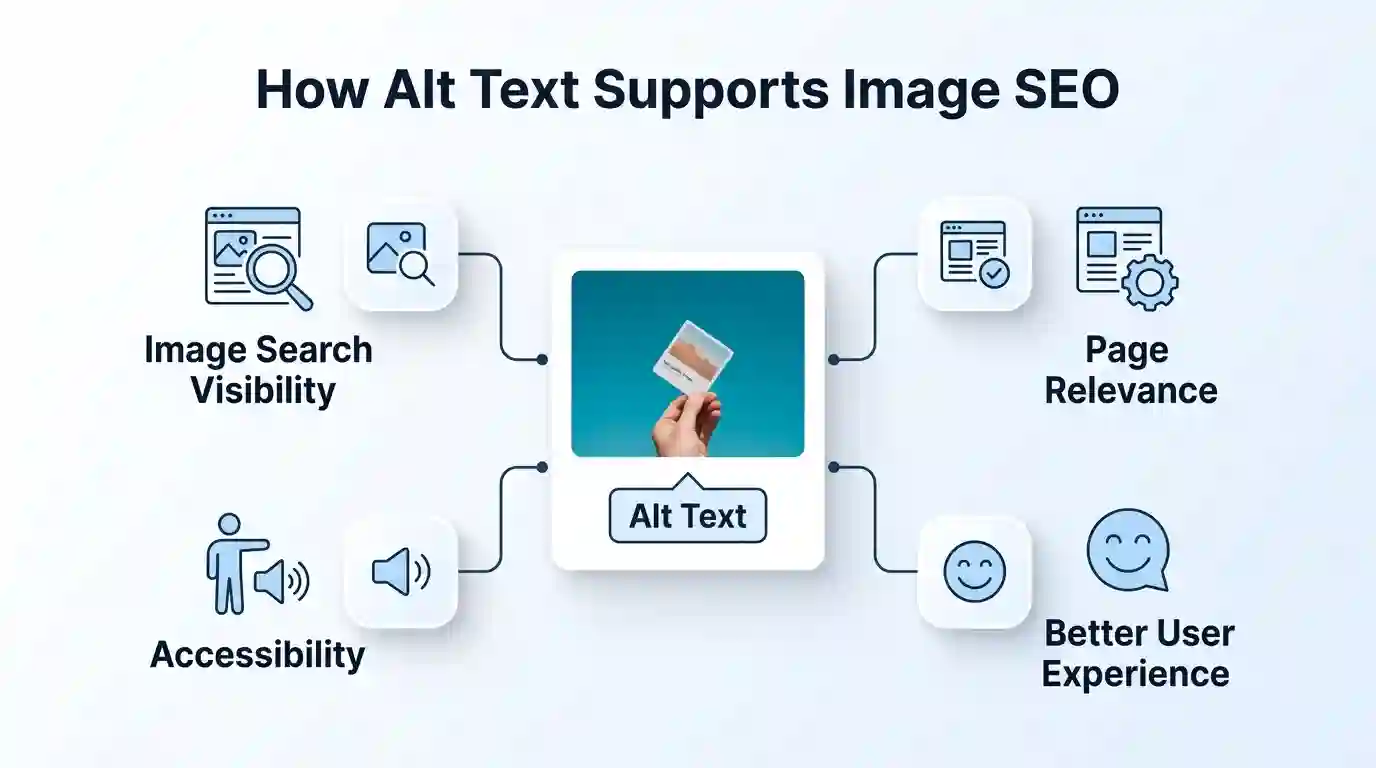
Image Search can bring valuable traffic, especially for websites that depend on visuals. This includes blogs, e-commerce stores, design websites, tutorial websites, recipe blogs, travel websites, SaaS tools, and local businesses.
When someone searches on Google Images, Google tries to show images that match the search intent. Alt text helps Google understand the subject of the image and how it relates to the page.
For example, suppose you publish a blog about converting PNG images into JPG format. You may include a screenshot of a conversion tool. A weak alt text would be:
“image”
A better alt text would be:
“PNG to JPG conversion tool showing upload and download options.”
The second version gives search engines useful context. It also helps the image match related searches such as “PNG to JPG converter interface,” “convert PNG image to JPG,” or “online image converter tool.”
This is where internal linking also helps. For readers who need a practical tool, you can guide them naturally to your PNG → JPG Converter when discussing image format optimization.
Alt text also supports long-tail search visibility. Long-tail keywords are more specific phrases people search for when they know what they want. An image with a descriptive alt attribute may support searches like:
- “How to write alt text for product images”
- “SEO alt text example for blog images”
- “image optimization checklist for websites”
- “alt text for ecommerce product photo”
- “How to optimize screenshots for SEO”
These are not always high-volume keywords, but they can attract more qualified visitors. Someone searching for a specific alt text example is likely trying to improve a page, write a blog, optimize a product listing, or fix an SEO issue.
How Alt Text Helps SEO for Accessibility and User Experience
Good SEO and good accessibility often work together. Alt text is one of the clearest examples.
A visually impaired user may use a screen reader to understand the content of a webpage. If an image has meaningful alt text, the screen reader can explain what the image shows. If the alt text is missing, vague, or stuffed with keywords, the experience becomes poor.
For example, imagine a tutorial page that explains how to compress an image. The page includes a screenshot showing the upload button and file size result. If the alt text says only “screenshot,” the user misses the actual value of the image. If it says “Screenshot of an image compression tool showing a 2.4 MB PNG reduced to a 620 KB JPG,” the image becomes useful.
This also helps users when images fail to load. Instead of seeing a blank space, broken image icon, or confusing layout, they may still understand what should have appeared there.
Search engines want to rank pages that are useful, clear, and accessible. Alt text supports that goal because it improves the page experience for more users.
The key point is this: alt text should be written for people first. SEO value comes from clarity, not manipulation.
The Difference Between Alt Text, Image Title, Caption, and Filename
Many website owners confuse alt text with image titles, captions, and filenames. These elements are related, but they are not the same.
Alt Text
Alt text describes the image for screen readers, search engines, and situations where the image cannot load. It is usually not visible on the page.
Example:
“Woman editing image alt text inside a WordPress media library.”
Image Title
The image title may appear as a tooltip in some browsers or content management systems. It is less important than alt text for accessibility and SEO. It can provide extra context, but it should not replace alt text.
Example:
“Editing image alt text in WordPress”
Image Caption
A caption is visible text near the image. It helps readers understand the image while they are viewing the page. Captions can be useful for charts, product photos, screenshots, and comparison images.
Example:
“Adding descriptive alt text helps both users and search engines understand the purpose of an image.”
Image Filename
The filename is the actual name of the image file. A descriptive filename can support image SEO before the image is even uploaded.
Weak filename:
“IMG_4839.png”
Better filename:
“seo-alt-text-example.png”
If you want a deeper guide on naming image files properly, read Best Practices for Image Naming in SEO. Image filenames and alt text work best when they support each other naturally.
Best Practices for Writing SEO-Friendly Alt Text
Writing good alt text is not difficult, but it does require care. The goal is to describe the image clearly while keeping the page topic in mind.
1. Describe the Image Accurately
The alt text should match what is actually visible in the image. Do not use misleading descriptions just to add a keyword.
Bad example:
“Best SEO tool for ranking number one on Google”
Better example:
“SEO audit dashboard showing missing alt text warnings for website images.”
The better version describes the image honestly and still includes relevant SEO language.
2. Keep It Short and Clear
Alt text should usually be a short phrase or one clear sentence. Most images do not need long descriptions.
Good example:
“Blue running shoes displayed on a white ecommerce product page.”
This is clear, specific, and easy to understand.
3. Use Keywords Only When They Fit Naturally
The primary keyword can appear in alt text if it accurately describes the image. But forcing the same keyword into every image is a mistake.
For this article, one image might use the keyword naturally:
“Diagram explaining how alt text helps SEO, accessibility, and image search visibility.”
That works because the image is directly about the article’s topic.
But using “How Alt Text Helps SEO” in every image description would look unnatural and repetitive.
4. Match the Page Context
The same image can have different alt text depending on the page topic.
For example, a photo of a person working on a laptop could have different alt text:
For an SEO article:
“Marketer reviewing image alt text and search performance on a laptop.”
For a remote work article:
“Remote worker organizing daily tasks on a laptop at home.”
For a web design article:
“Designer editing website images on a laptop screen.”
The image is similar, but the page context changes the best description.
5. Avoid Saying “Image of” or “Picture of”
In most cases, screen readers already announce that the element is an image. Starting with “image of” wastes space.
Weak:
“Image of a website dashboard showing SEO errors.”
Better:
“Website dashboard showing SEO errors and missing image alt text.”
There are exceptions. If the format matters, you can mention it. For example:
“Illustration of a search engine crawler reading image alt text.”
Here, saying “illustration” helps because the image type is meaningful.
6. Use Empty Alt Text for Decorative Images
Not every image needs descriptive alt text. Decorative images, such as background shapes, dividers, abstract patterns, and purely visual design elements, should usually have empty alt text.
Example:
alt=""
This tells screen readers that the image can be skipped. Adding alt text to decorative images can create unnecessary noise for users.
7. Make Alt Text Useful for the Reader
Ask yourself: “If someone could not see this image, what would they need to know?”
That question usually leads to better alt text.
For a chart, describe the main insight.
For a product photo, describe the product and the key visible feature.
For a screenshot, describe what the screenshot demonstrates.
For an infographic, summarize the main message.
For a logo, identify the brand name.
Common Alt Text Mistakes to Avoid
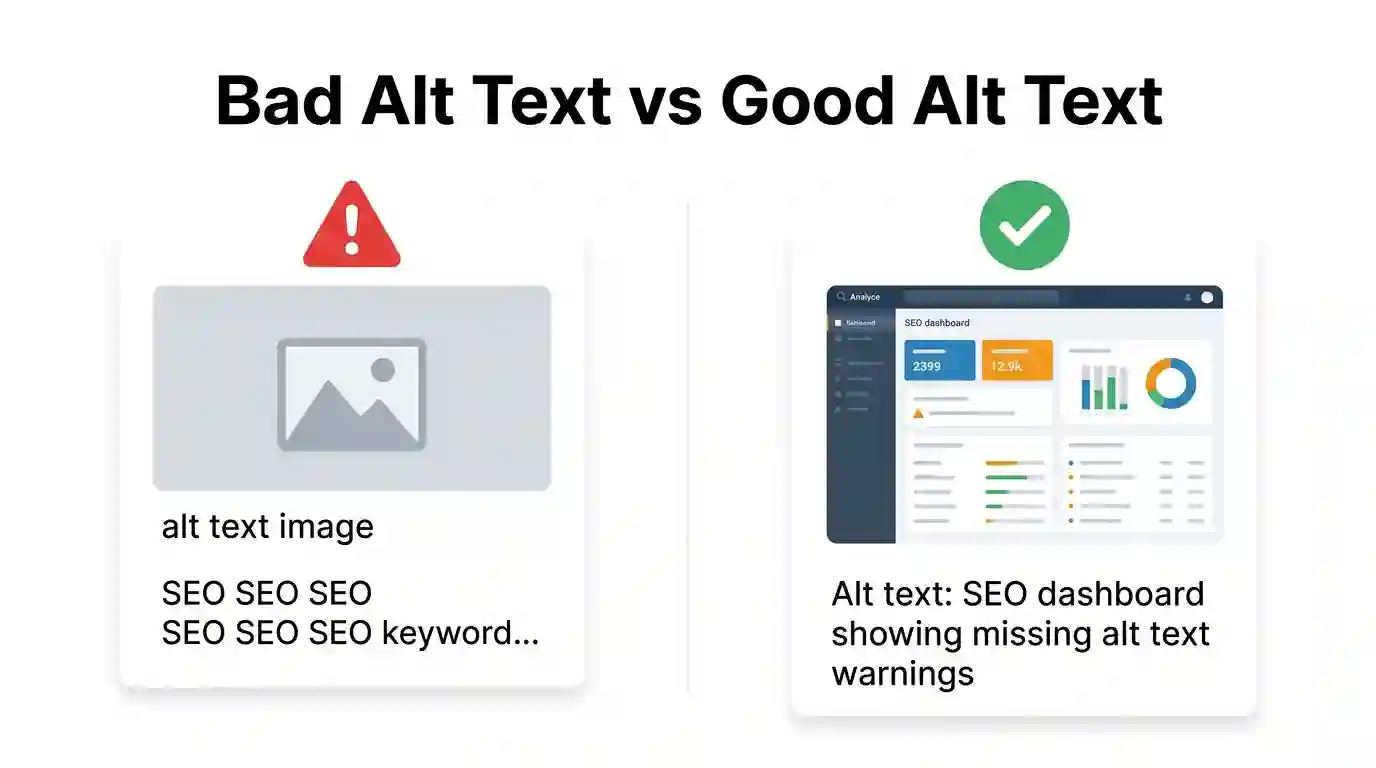
Alt text can help SEO, but poor alt text can create confusion. Here are common mistakes website owners should avoid.
Keyword Stuffing
Keyword stuffing means repeating keywords unnaturally. It makes the page look spammy and creates a poor accessibility experience.
Bad example:
“Alt text SEO, SEO alt text, image SEO, best alt text SEO, Google image SEO.”
This does not describe the image. It only repeats search terms.
Using the Same Alt Text for Every Image
Each meaningful image should have unique alt text. If a blog has five screenshots, each screenshot should describe what is different.
Bad example for every screenshot:
“SEO tool screenshot”
Better examples:
“SEO tool showing missing alt text errors.”
“SEO tool showing large image file size warnings.”
“SEO tool showing optimized image filenames.”
“SEO tool showing image search traffic report.”
Writing Alt Text That Is Too Vague
Vague alt text does not help users or search engines.
Weak:
“dog”
Better:
“Golden retriever puppy sitting beside a blue food bowl.”
Specific details make the image easier to understand.
Describing Unimportant Details
Alt text should focus on what matters. You do not need to describe every color, background item, or small design element unless it is important to the content.
Too much detail:
“A silver laptop on a brown wooden desk next to a white mug, black pen, yellow notebook, green plant, and phone charger.”
Better for an SEO article:
“Laptop displaying an image SEO checklist for alt text optimization.”
Leaving Important Images Without Alt Text
Important images should not have empty alt attributes. Product images, charts, screenshots, infographics, diagrams, and tutorial images usually need descriptive alt text.
If the image supports the content, explain it.
Alt Text Examples for Different Website Types
Different websites need different alt text strategies. Here are practical examples.
Blog Article Image
Image: A diagram showing alt text, filename, caption, and page content working together.
Good alt text:
“Diagram showing how alt text, image filename, caption, and page content support image SEO.”
E-commerce Product Image
Image: A black leather wallet with card slots.
Good alt text:
“Black leather wallet with multiple card slots and stitched edges.”
This helps both accessibility and product search relevance.
Local Service Website Image
Image: A roofing contractor repairing shingles on a house.
Good alt text:
“Roofing contractor replacing damaged shingles on a residential roof.”
This is useful for local SEO because it describes the service clearly.
Tool Page Screenshot
Image: A PNG to JPG converter showing upload and conversion buttons.
Good alt text:
“PNG to JPG converter interface with upload button and download option.”
This supports the tool page and helps users understand the screenshot.
Infographic
Image: An infographic showing steps to optimize images.
Good alt text:
“Infographic listing image optimization steps, including file naming, compression, alt text, and format selection.”
Logo
Image: Fast Task Tools logo.
Good alt text:
“Fast Task Tools logo.”
Logos do not need long descriptions unless the visual style is important.
Chart or Graph
Image: A chart showing an increase in image search clicks after optimization.
Good alt text:
“Chart showing image search clicks increasing after filenames and alt text were optimized.”
For charts, describe the key takeaway rather than every small number.
How Alt Text Works with Image File Names and Formats
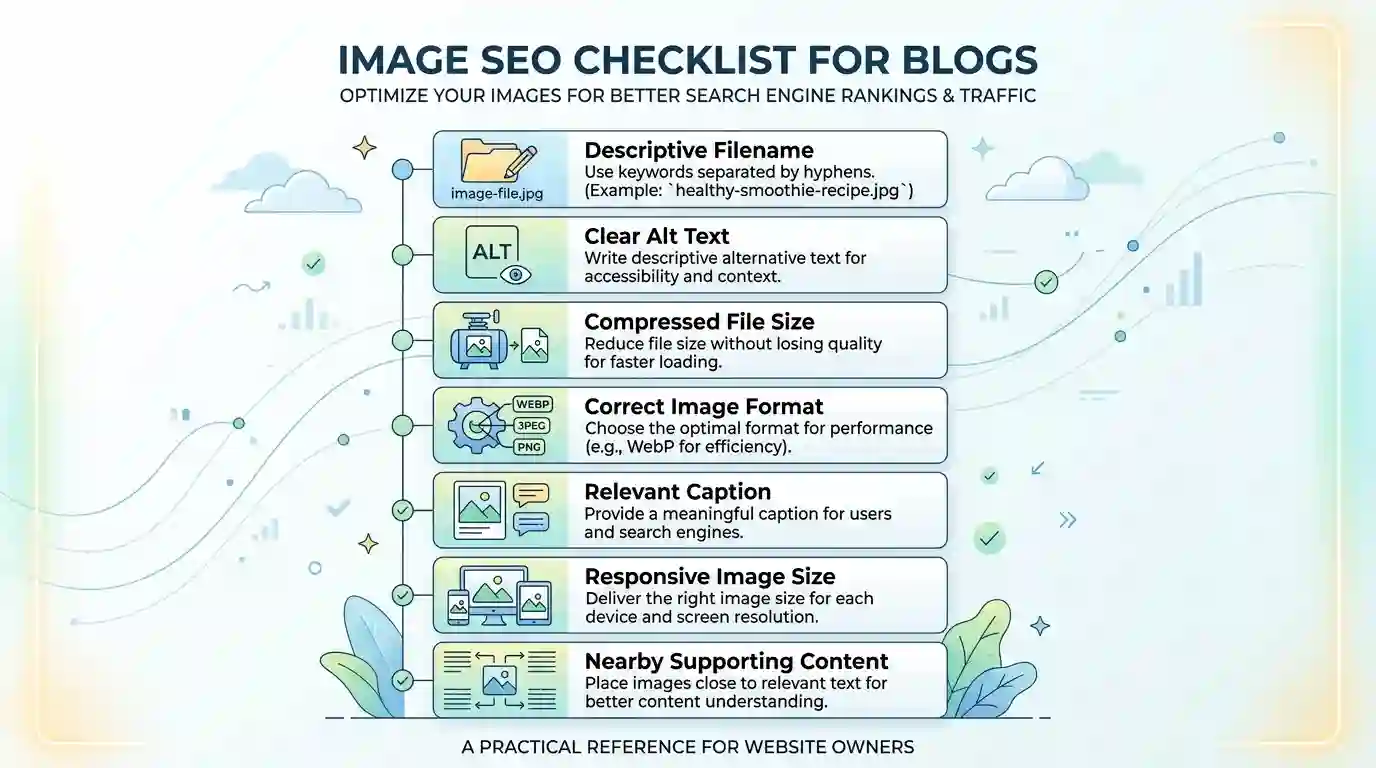
Alt text is only one part of image SEO. It works best when combined with proper image naming, file compression, responsive image sizing, and the right file format.
Search engines look at several image signals together. A strong image SEO setup may include:
- Descriptive image filename
- Helpful alt text
- Relevant surrounding text
- Clear page title
- Proper heading structure
- Fast loading image size
- Mobile-friendly layout
- Image sitemap where needed
- Structured data for eligible content
- Correct format, such as JPG, PNG, WebP, or SVG
For example, a blog image about alt text should not be uploaded as:
“final-design-copy-7.png”
A better filename would be:
“how-alt-text-helps-seo-diagram.png”
Then the alt text could be:
“Diagram showing how alt text helps SEO by improving accessibility, image context, and search visibility.”
The filename and alt text support each other without being identical.
Image format also matters. PNG is useful for graphics, screenshots, and images that need transparency. JPG is often better for photographs because it can reduce file size while keeping good visual quality. If your image does not need transparency, converting PNG to JPG can sometimes help reduce file size and improve page speed. That is where a simple tool like the PNG → JPG Converter can be useful.
Page speed matters because large images can slow down the user experience. Alt text helps search engines understand the image, but image compression and correct formats help users load the page faster. A strong image SEO strategy includes both meaning and performance.
How to Audit Alt Text on Your Website
If your website already has many pages, start with an alt text audit. You do not need to fix everything at once. Focus first on important pages.
Step 1: Review High-Traffic Pages
Check your most visited blog posts, service pages, product pages, and tool pages. These pages have the most SEO value, so improving their images can have a stronger effect.
Step 2: Find Missing Alt Text
Look for images with empty or missing alt attributes. Decide whether each image is meaningful or decorative.
If it is meaningful, write clear alt text.
If it is decorative, use empty alt text.
Step 3: Fix Duplicate Alt Text
If many images use the same alt text, rewrite them so each one describes the specific image.
Step 4: Remove Keyword Stuffing
Replace repetitive keyword-heavy alt text with natural descriptions.
Step 5: Check Image Filenames
If possible, improve weak filenames before uploading new images. For old images, changing filenames can be more complicated because it may affect URLs, so handle that carefully.
Step 6: Compress and Convert Images
Large image files should be compressed or converted to a more suitable format. This can help improve loading speed, especially on mobile devices.
Step 7: Recheck After Publishing
After updating alt text, review the page as a user. The descriptions should feel natural and helpful, not forced.
Conclusion
Alt text may look like a small detail, but it plays an important role in SEO, accessibility, and user experience. It helps search engines understand images, gives screen readers meaningful descriptions, supports Google Image Search visibility, and keeps pages useful when images fail to load.
The best alt text is not complicated. It is accurate, specific, natural, and written for people first. Keywords can be included when they fit, but they should never be forced. A strong image SEO strategy also includes descriptive filenames, optimized formats, compressed file sizes, relevant captions, and high-quality surrounding content.
If your website has blogs, product pages, tools, tutorials, or service pages, improving alt text is one of the easiest SEO updates you can make. Start with your most important pages, fix missing descriptions, remove keyword stuffing, and write alt text that genuinely explains each image.
When alt text is done well, it helps both users and search engines understand your content more clearly.
FAQs
1. What is alt text in SEO?
Alt text is a written description added to an image. In SEO, it helps search engines understand what the image shows and how it relates to the page topic. It also helps screen readers describe images to visually impaired users.
2. How Alt Text Helps SEO?
How Alt Text Helps SEO is by giving search engines more context about your images, improving accessibility, supporting image search rankings, and strengthening the relevance of your page content.
3. Should every image have alt text?
Every meaningful image should have descriptive alt text. Decorative images, such as background patterns or design dividers, should usually have empty alt text so screen readers can skip them.
4. Can I use keywords in alt text?
Yes, you can use keywords in alt text when they fit naturally and accurately describe the image. Avoid keyword stuffing because it creates a poor user experience and can look spammy.
5. How long should alt text be?
Alt text should usually be short and clear. A few words or one sentence is enough for most images. The goal is to describe the image without adding unnecessary details.
6. What is a good alt text example?
A good alt text example is: “SEO dashboard showing missing alt text warnings for website images.” It is specific, clear, and relevant to the image and page topic.
7. Is alt text still important for Google?
Yes, alt text is still important because it helps Google understand image content and page context. It is not the only ranking factor, but it remains a valuable part of image SEO.
8. What is the difference between alt text and image caption?
Alt text is usually hidden and used by screen readers and search engines. A caption is visible text placed near an image to explain it to readers on the page.
9. Does alt text help e-commerce SEO?
Yes, alt text can help e-commerce SEO by describing product images clearly. It can support product relevance, accessibility, and image search visibility.
10. Can bad alt text hurt SEO?
Bad alt text can weaken user experience and make images harder for search engines to understand. Keyword stuffing, vague descriptions, and duplicate alt text should be avoided.