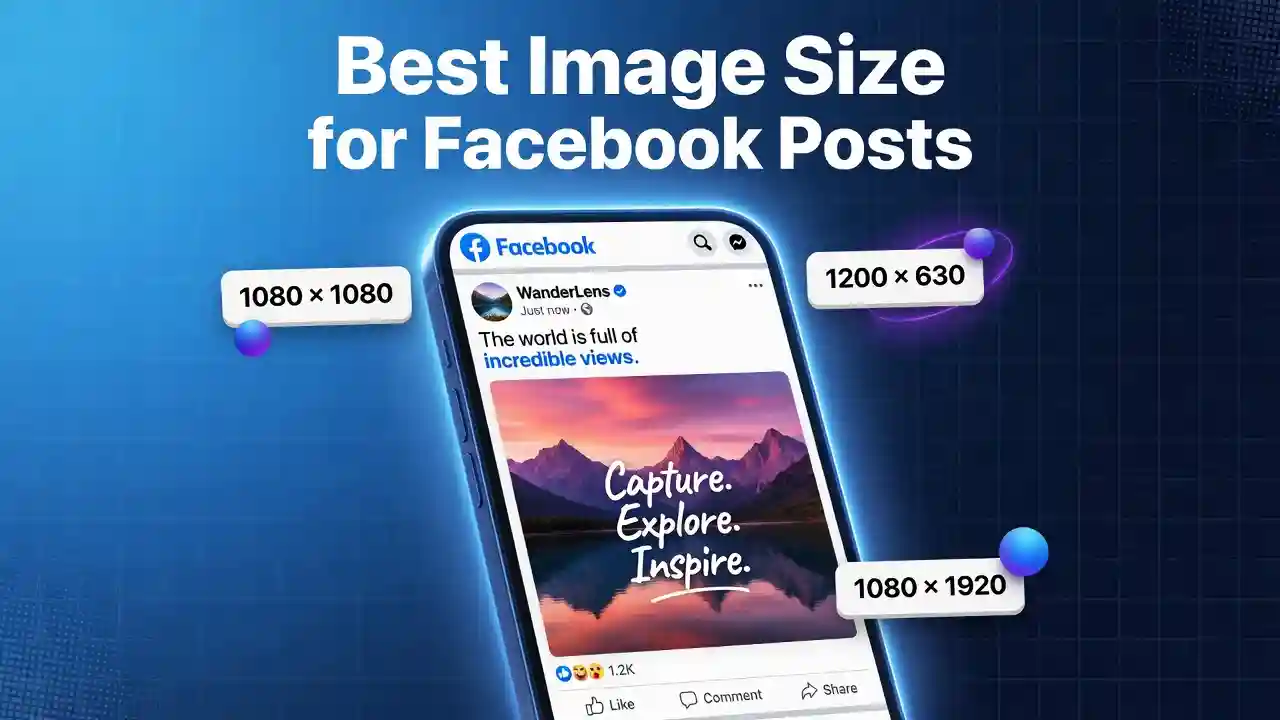
Summary: Getting the Best Image Size for Facebook Posts is one of the most overlooked yet impactful elements of social media marketing. Whether you’re publishing a timeline photo, running a paid ad, managing a business page, or sharing a cover photo, each placement on Facebook has its own optimal dimensions. Using incorrectly sized images leads to cropping, pixelation, slow load times, and ultimately lower engagement. This guide covers every Facebook image dimension you need — from profile pictures and cover photos to Stories, Reels, event banners, and carousel ads — along with file format advice, compression strategies, and actionable tips to ensure your visuals always look sharp and professional.
Table of Contents:
- Why Best Image Size for Facebook Posts Matters on Facebook
- Facebook Profile Picture Size
- Facebook Cover Photo Size
- Best Image Size for Facebook Feed Posts
- Facebook Story and Reel Image Size
- Facebook Ad Image Sizes
- Facebook Event Cover Photo Size
- Facebook Shared Link Thumbnail Size
- Best File Formats for Facebook Images
- How to Optimize Facebook Images for Better Performance
- Common Facebook Image Size Mistakes to Avoid
- Quick Reference Cheat Sheet
Why Best Image Size for Facebook Posts Matters on Facebook
Facebook is a visually driven platform with over 3 billion monthly active users. Every day, billions of images are uploaded and consumed — and the ones that perform best are not just aesthetically appealing, they are technically optimized. Using the correct Facebook image dimensions is not just a design best practice; it’s an algorithmic advantage.
How Facebook Compresses and Renders Images
When you upload an image to Facebook, the platform automatically processes and compresses it for web delivery. This means that if your original image does not match the recommended pixel dimensions, Facebook will resize, crop, or stretch it to fit the display container. This process introduces compression artifacts — blurry edges, washed-out colors, and loss of fine detail.
Facebook uses its own lossy compression algorithm (similar to JPEG compression) for most images. This is especially notable in images with gradients, text, or fine lines. The way Facebook handles images also varies across devices: a photo displayed on a desktop at 1080px wide may appear cropped differently on a mobile viewport. This means every upload decision has responsive design implications.
Understanding these technical realities is what separates mediocre visual content from consistently high-quality posts.
Impact on Engagement and Reach
Studies consistently show that posts with optimized images receive significantly higher engagement than those with poorly formatted visuals. Facebook’s own algorithm factors in engagement rate (likes, comments, shares, saves) when determining organic reach. A low-quality or poorly cropped image signals to users — and to the algorithm — that the content is not worth engaging with.
For advertisers, the stakes are even higher. Ads with blurry, incorrectly sized images have lower click-through rates (CTR), higher cost-per-click (CPC), and reduced ad delivery scores. Proper Image Optimization Improves SEO and social media performance in tandem, making it a double-win for your digital strategy.
Facebook Profile Picture Size
Personal Profile Picture Dimensions
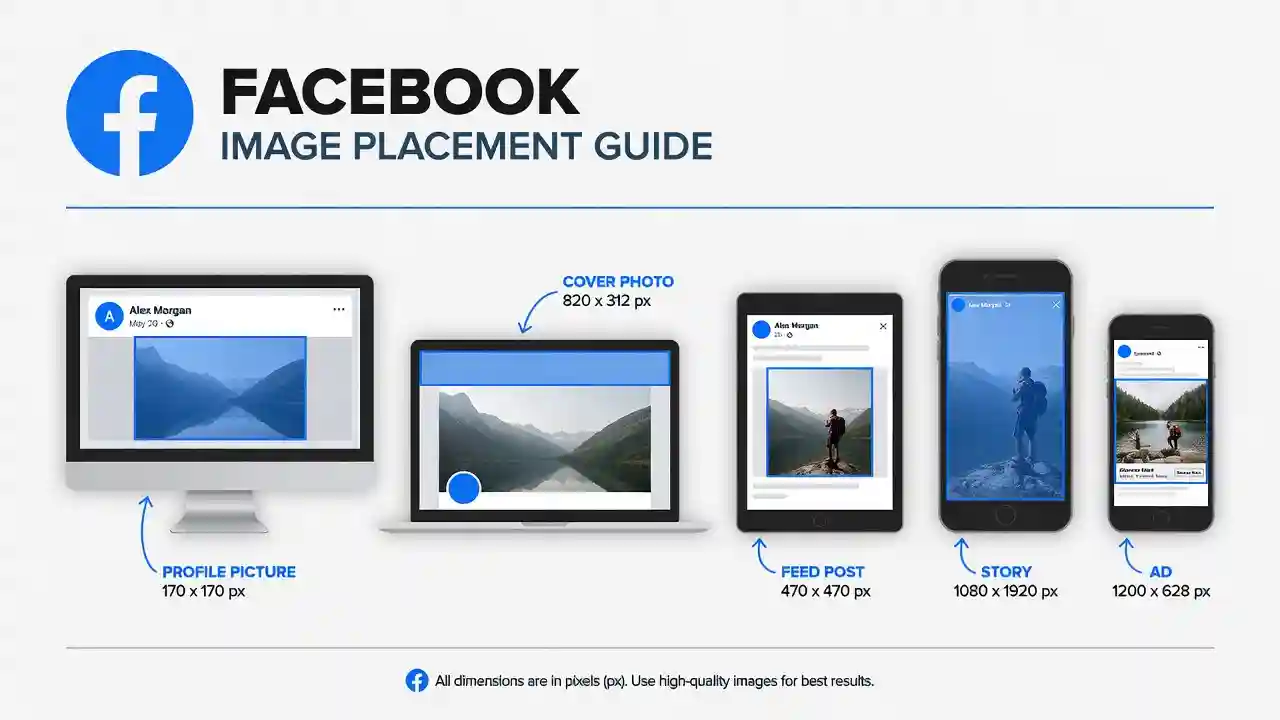
The recommended Facebook profile picture size is 170 x 170 pixels on desktop. On mobile, it displays at 128 x 128 pixels, and on most smartphones it shows as small as 36 x 36 pixels in comments and chat. Because it’s displayed as a circle, you should keep the most important visual element centered.
- Recommended upload size: 170 x 170 px (minimum)
- Aspect ratio: 1:1 (square)
- Display shape: Circular crop
- File format: JPG or PNG
For best quality, upload a higher-resolution image like 400 x 400 px or even 720 x 720 px. Facebook will scale it down but retain more detail.
Business Page Profile Picture
For Facebook Business Pages, the profile photo appears alongside every post, comment, and ad from that page. It functions as the brand’s visual identity marker across the entire platform.
- Recommended size: 170 x 170 px
- Minimum size: 128 x 128 px
- Best practice upload: 400 x 400 px or 720 x 720 px for sharpness
Brand logos should be designed with sufficient padding so the circular mask doesn’t cut off any element. Use a PNG with a transparent background where applicable.
Facebook Cover Photo Size
Personal Cover Photo Dimensions
The Facebook cover photo is one of the largest and most visible image placements on the platform. It displays at:
- Desktop: 820 x 312 pixels
- Mobile: 640 x 360 pixels
- Recommended upload: 851 x 315 px minimum; ideally 1640 x 624 px for retina displays
The key challenge here is the difference in how cover photos render across devices. A design that looks great on desktop may have important elements cropped out on mobile. Always keep critical content (text, logos, focal subjects) within a safe zone of approximately 560 x 152 px centered in the image.
Business Page Cover Photo
Business page cover photos follow the same display dimensions but serve a different purpose — branding, promotions, or seasonal campaigns. Facebook also allows cover photo videos (820 x 462 px, 20–90 seconds).
- Recommended size: 851 x 315 px
- For sharper display: 1640 x 624 px
- Minimum size: 400 x 150 px
- File format: JPG or PNG; under 100 KB for fastest loading
Facebook Group Cover Photo
Group cover photos have a unique aspect ratio different from personal and business pages.
- Recommended size: 1640 x 856 px
- Display size: 820 x 428 px
- Aspect ratio: ~1.91:1
Because group pages tend to attract community-first content, cover photos here often work best as welcoming, descriptive visuals that communicate what the group is about.
Best Image Size for Facebook Feed Posts
The Facebook News Feed is the primary real estate for organic content. Images here must be optimized to avoid both cropping and compression artifacts.
Square Image Posts
Square images perform particularly well on mobile, where they take up more vertical screen space than landscape images.
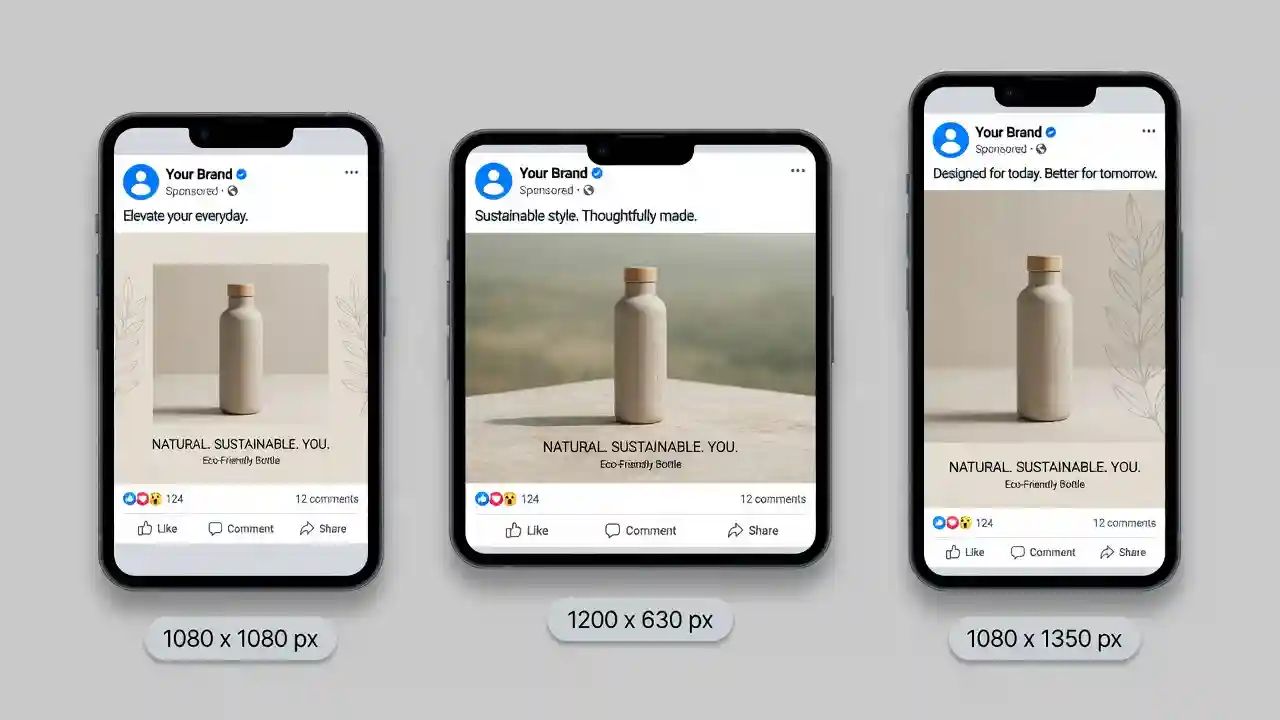
- Recommended size: 1080 x 1080 px
- Aspect ratio: 1:1
- Maximum resolution: 2048 x 2048 px
Square posts are ideal for product photography, quotes, infographics, and brand announcements. They feel native on both desktop and mobile feeds.
Landscape (Horizontal) Image Posts
Landscape images are the classic format for blog post shares, event announcements, and editorial photography.
- Recommended size: 1200 x 630 px
- Aspect ratio: 1.91:1
- Minimum width: 600 px
Landscape photos display well on desktop but show smaller on mobile feeds. For maximum visual impact, square or portrait formats generally outperform landscape in mobile-first contexts.
Portrait (Vertical) Image Posts
Portrait images are the fastest-growing format on Facebook due to the mobile-first consumption behavior of users.
- Recommended size: 1080 x 1350 px
- Aspect ratio: 4:5
- Maximum aspect ratio Facebook allows: 4:5 (taller images will be masked)
For even taller images (like 9:16), Facebook will automatically crop to 4:5 in the feed, though the full image can be viewed on tap. Keep critical subjects within the central 4:5 frame.
Facebook Story and Reel Image Size
Facebook Stories Dimensions
Stories are full-screen, immersive, and ephemeral — lasting only 24 hours. They demand a vertical format with safe zones for UI overlays.
- Recommended size: 1080 x 1920 px
- Aspect ratio: 9:16
- Safe zone: Keep text and logos within the central 1080 x 1420 px area (avoid top 250px and bottom 250px where UI elements appear)
Stories allow both images and videos. For images, Facebook displays each one for 5 seconds by default.
Facebook Reels Thumbnail Size
Reels thumbnails are selected from the video itself, but custom thumbnails should match:
- Recommended size: 1080 x 1920 px
- Aspect ratio: 9:16
- File format: JPG or PNG
Reels are prioritized in Facebook’s discovery algorithm, so compelling thumbnails are critical for attracting clicks from non-followers.
Facebook Ad Image Sizes
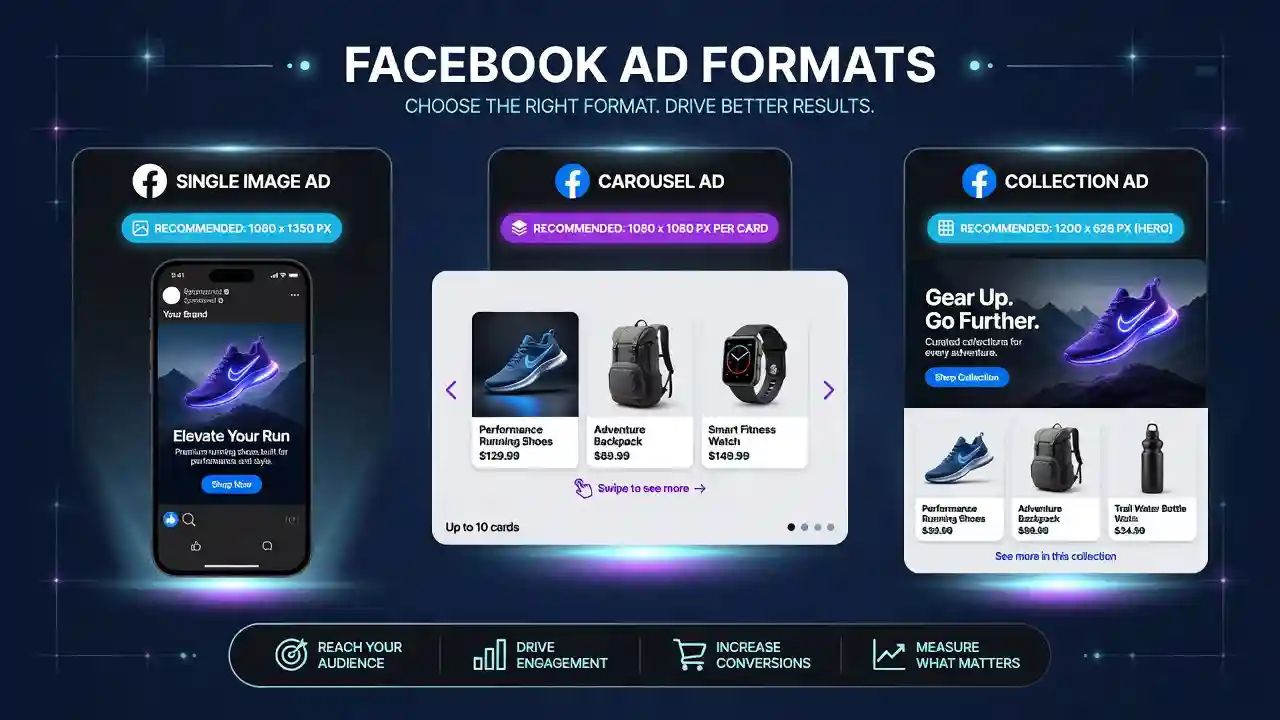
Facebook advertising has strict technical requirements. Failing to meet them can result in ads being rejected, poorly displayed, or algorithmically penalized.
Single Image Ad Dimensions
- Recommended size: 1200 x 628 px (landscape) or 1080 x 1080 px (square)
- Aspect ratio: 1.91:1 or 1:1
- Minimum size: 600 x 315 px
- Maximum file size: 30 MB
- File format: JPG or PNG
For the Facebook Feed placement, 1080 x 1080 px (square) delivers the highest visual real estate on mobile devices. For the right-hand column (desktop), 1200 x 628 px is standard.
Carousel Ad Image Size
Carousel ads allow up to 10 image or video cards in a single ad unit, each with its own link.
- Recommended size: 1080 x 1080 px per card
- Aspect ratio: 1:1
- Minimum size: 600 x 600 px
- File format: JPG or PNG
Carousel ads perform particularly well for e-commerce product showcases and step-by-step storytelling. Consistent image sizing across all cards creates a polished, professional look.
Collection Ad and Instant Experience
Collection ads combine a cover image or video with product images in a grid below.
- Cover image: 1200 x 628 px or 1080 x 1080 px
- Product images: 1:1 aspect ratio recommended
- Instant Experience (full-screen mobile): 1080 x 1920 px for background images
Facebook Event Cover Photo Size
Facebook events have their own image container with unique dimensions.
- Recommended size: 1200 x 628 px
- Minimum size: 400 x 150 px
- Aspect ratio: ~1.91:1
- Display size: 500 x 262 px on desktop
Event cover photos should communicate the event’s date, location, and visual identity at a glance. Bold typography and high-contrast colors help these images stand out in the Events tab feed.
Facebook Shared Link Thumbnail Size
When you share a URL on Facebook, the platform automatically pulls an Open Graph (OG) image from the linked page’s metadata. This thumbnail appears as a preview card in the feed.
- Recommended OG image size: 1200 x 630 px
- Minimum size: 600 x 315 px
- Aspect ratio: 1.91:1
To control how your shared links appear on Facebook, ensure every page on your website has properly configured og:image meta tags with images sized at 1200 x 630 px. This is particularly important for blog posts, product pages, and landing pages. You can use Free Image Tools to resize and optimize your OG images quickly before uploading.
Best File Formats for Facebook Images
JPEG vs PNG vs WebP
Choosing the right file format affects both image quality and loading speed — two factors that directly influence user experience and Facebook’s performance scoring.
JPEG (JPG):
- Best for: Photographs, complex images with many colors
- Compression: Lossy (quality degrades with each save)
- Recommended for: Feed posts, cover photos, ad images
PNG:
- Best for: Logos, graphics with text, images requiring transparency
- Compression: Lossless (quality preserved)
- Larger file sizes than JPEG
WebP:
- Best for: Web-optimized images combining quality and small file size
- Facebook accepts WebP for uploads but internally converts to JPEG/PNG
- Ideal when uploading through third-party scheduling tools
According to Google’s Web.dev documentation on image formats, using the right format for each use case can reduce image file size by 25–80% without perceptible quality loss.
Maximum File Size Limits
- Profile and cover photos: 100 KB recommended (under 8 MB maximum)
- Feed post images: Under 8 MB
- Ad images: Under 30 MB
- Story images: Under 4 GB (video), images under 8 MB
Keeping images below 100–200 KB for standard posts ensures fast loading, particularly for users on slower mobile connections.
How to Optimize Facebook Images for Better Performance
Compression Without Quality Loss
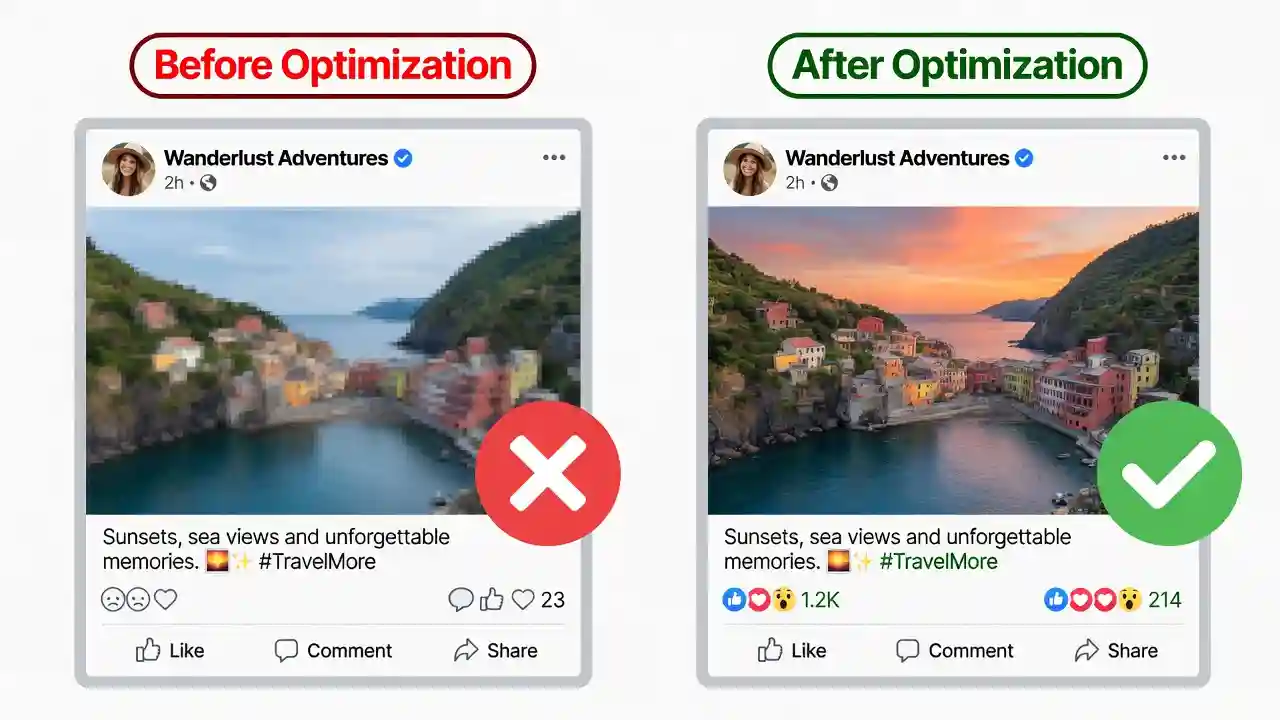
Facebook applies its own compression to all uploaded images. If you pre-compress before uploading, you can control the final quality more precisely rather than letting Facebook’s algorithm make those decisions blindly.
Best practices:
- Export JPEGs at 80–85% quality setting
- Use tools like TinyPNG, Squoosh, or ShortPixel for lossless or near-lossless compression
- For PNG images with text, use PNG-8 (256 colors) where possible to reduce file size dramatically
Text Overlay Rules for Ads
Facebook’s historical “20% text rule” (which penalized ad images with more than 20% text coverage) has been officially retired, but the underlying principle remains valid: images with heavy text overlays still tend to perform worse in ad auctions because they generate lower engagement scores.
Best practices for text in ad images:
- Keep text minimal and impactful
- Use high-contrast text/background combinations
- Avoid placing critical text near edges where cropping may occur
- Test text-free vs. text-heavy creative variants via A/B testing
Safe Zone and Cropping Considerations
Each Facebook image placement has a “safe zone” — the central area of the image that will always be visible regardless of device or display context. Designing with safe zones in mind prevents crucial content from being cropped.
General safe zone rules:
- Cover photos: Keep key content centered within 560 x 152 px
- Stories and Reels: Avoid top and bottom 250 px
- Profile pictures: Keep subject centered (circular mask applied)
- Feed posts: No cropping in 1:1 format; landscape may be masked to 4:5 on mobile
Common Facebook Image Size Mistakes to Avoid
- Uploading low-resolution images — Images under 600 px wide will appear blurry in almost every placement. Always start with the highest resolution you have.
- Ignoring mobile rendering — Designing only for desktop leads to critical elements being cropped on mobile, where over 98% of Facebook users access the platform.
- Not using the 4:5 aspect ratio for vertical feed posts — Facebook will mask taller images in the feed; designing natively in 4:5 removes guesswork.
- Using JPEG for logo/text graphics — JPEG compression creates artifacts around hard edges. Use PNG for any image containing text or line art.
- Neglecting OG:image meta tags — When your links share to Facebook with a missing or tiny thumbnail, click-through rates drop substantially.
- Uploading the same image across all placements — A single image cannot be optimized simultaneously for Stories (9:16), feed (1:1), and ads (1.91:1). Create placement-specific versions.
- Forgetting safe zones — Cover photos and Stories both have UI elements that overlay parts of the image. Placing important content in these zones leads to it being obscured.
Quick Reference Cheat Sheet
| Placement | Recommended Size | Aspect Ratio |
| Profile Picture | 170 x 170 px (upload 720 x 720) | 1:1 |
| Cover Photo (Personal/Business) | 851 x 315 px (upload 1640 x 624) | ~2.7:1 |
| Group Cover Photo | 1640 x 856 px | ~1.91:1 |
| Feed Post – Square | 1080 x 1080 px | 1:1 |
| Feed Post – Landscape | 1200 x 630 px | 1.91:1 |
| Feed Post – Portrait | 1080 x 1350 px | 4:5 |
| Story / Reel Thumbnail | 1080 x 1920 px | 9:16 |
| Single Image Ad | 1200 x 628 px or 1080 x 1080 px | 1.91:1 or 1:1 |
| Carousel Ad (per card) | 1080 x 1080 px | 1:1 |
| Event Cover Photo | 1200 x 628 px | 1.91:1 |
| Shared Link Thumbnail (OG) | 1200 x 630 px | 1.91:1 |