Summary: Safe file sharing online is no longer optional — it is a fundamental necessity for individuals, remote teams, and enterprises alike. This comprehensive guide covers the best tools for secure file sharing, explores encryption standards, access control mechanisms, compliance requirements, and practical tips for protecting sensitive data during transfer. Whether you are looking for free secure file transfer options, enterprise-grade encrypted cloud storage, or end-to-end encrypted messaging platforms, this guide provides everything you need to make an informed decision and keep your files, documents, and data safe from unauthorized access, interception, and data breaches.
Outline
- Why Safe File Sharing Matters in 2026
- Key Features to Look for in a Secure File Sharing Tool
- Best Tools for Safe File Sharing Online (Detailed Reviews)
- Free vs. Paid Secure File Sharing Tools
- Secure File Transfer Protocols You Should Know
- Compliance Standards for Secure File Sharing
- Best Practices for Safe Online File Sharing
- Secure File Sharing for Remote Teams and Businesses
- Frequently Asked Questions About Safe File Sharing Online
Why Safe File Sharing Matters in 2026
The Rising Threat of Data Breaches and Cyberattacks
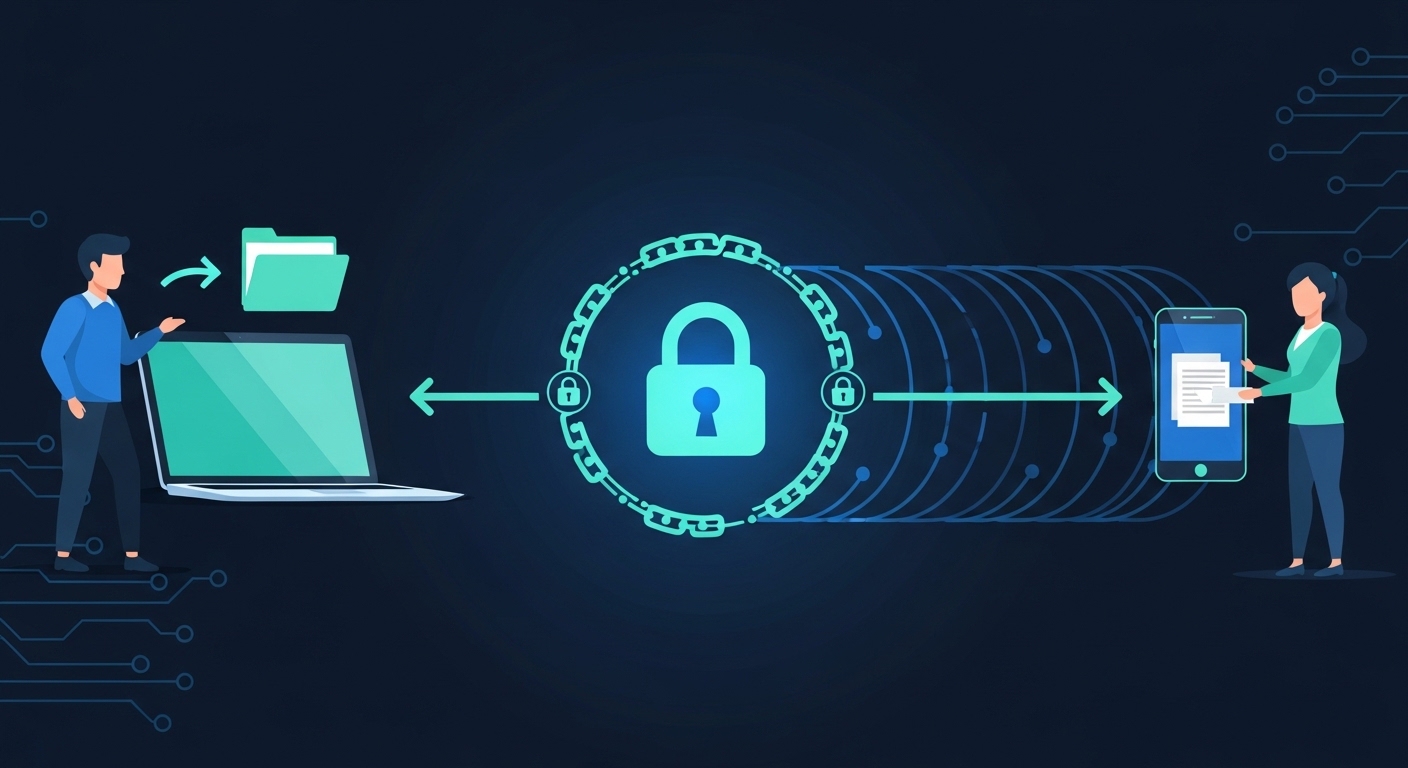
The digital landscape in 2026 is more hostile than ever. Cybercriminals, state-sponsored hackers, and opportunistic threat actors are constantly scanning for vulnerabilities in file transfer systems, cloud storage platforms, and communication channels. According to IBM’s Cost of a Data Breach Report, the global average cost of a data breach has surpassed $4.8 million — a figure that underscores just how devastating an unsecured file transfer can be.
When you share a file online without proper security measures, you expose yourself to man-in-the-middle (MITM) attacks, where an attacker intercepts data as it travels between sender and recipient. Ransomware attacks have also increasingly targeted file-sharing platforms, encrypting shared files and demanding payment for their release. Phishing attacks often exploit poorly secured shared links to harvest credentials or deliver malware.
The threat vectors are diverse: unsecured FTP servers, unencrypted email attachments, public cloud storage with default permissions, and even poorly configured collaboration platforms can all serve as entry points for attackers. Understanding these risks is the first step toward adopting safe file-sharing habits and tools.
Legal and Compliance Risks of Unsecured File Transfers
Beyond the immediate technical risks, organizations that fail to secure file transfers face serious legal and regulatory consequences. The General Data Protection Regulation (GDPR) in the European Union mandates that personal data must be protected during transfer and storage. A failure to comply can result in fines of up to €20 million or 4% of global annual revenue — whichever is higher.
In the United States, the Health Insurance Portability and Accountability Act (HIPAA) requires healthcare organizations to implement technical safeguards, including encryption, when transmitting Protected Health Information (PHI). The Payment Card Industry Data Security Standard (PCI-DSS) similarly mandates secure transmission of cardholder data.
These regulations make secure document transfer not just a best practice but a legal obligation for many organizations. Even small businesses handling customer data must comply with applicable laws in their jurisdiction.
Who Needs Secure File Sharing Tools?
The need for secure file sharing extends across virtually every sector and role. Remote workers sharing confidential company documents, lawyers transferring case files to clients, healthcare professionals exchanging patient records, accountants sending tax documents, freelancers delivering project files, and educators sharing course materials — all of these scenarios involve sensitive information that requires protection. Even individuals sharing personal photos or financial documents with family members benefit from secure file-sharing practices.
Key Features to Look for in a Secure File Sharing Tool
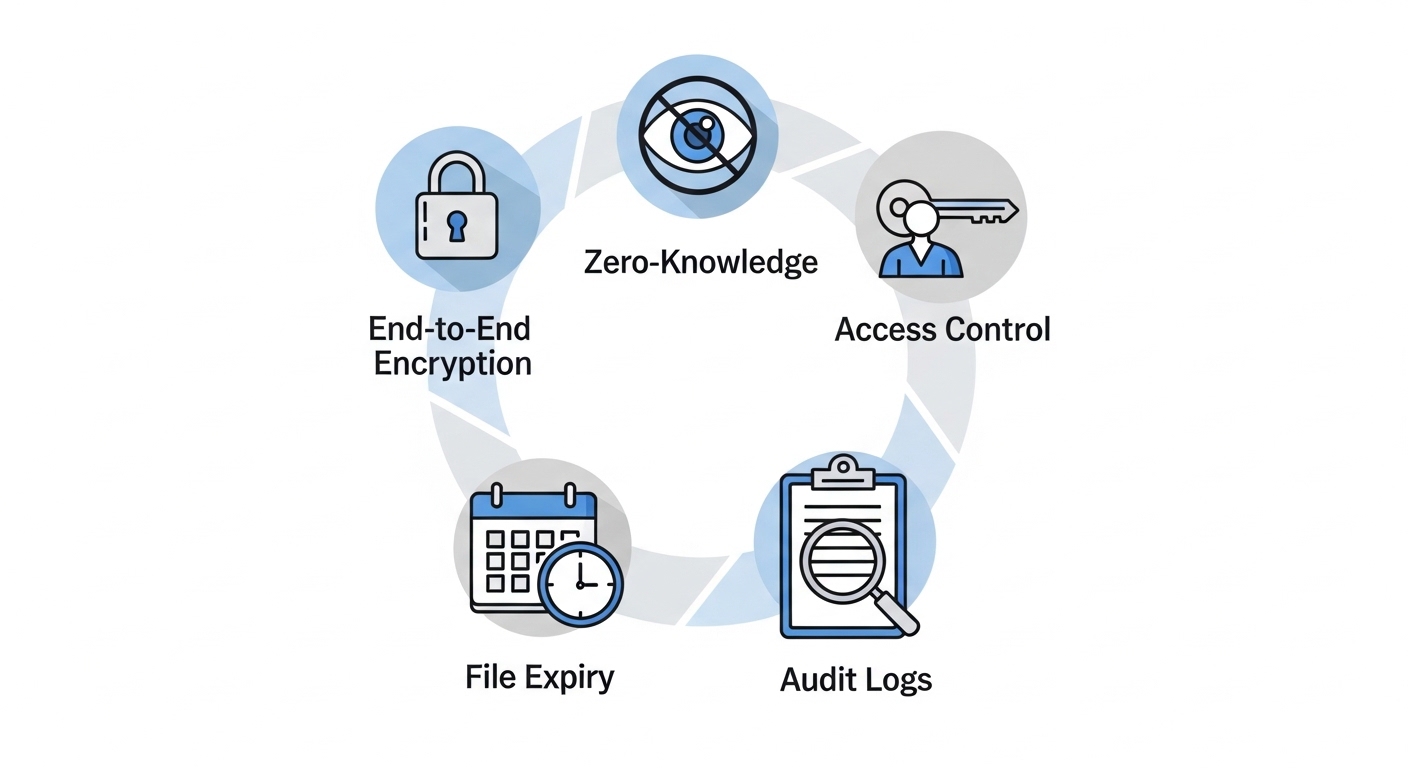
Understanding what makes a file-sharing tool truly secure requires familiarity with the core technical features and security mechanisms that protect your data.
End-to-End Encryption (E2EE)
End-to-end encryption is the gold standard of secure file sharing. With E2EE, files are encrypted on the sender’s device before they are uploaded and can only be decrypted by the intended recipient. This means that even the service provider cannot access the content of your files. Tools like ProtonDrive, Tresorit, and Sync.com offer genuine end-to-end encryption, ensuring that your data remains private throughout its entire journey.
It is important to distinguish between encryption in transit (which protects data as it travels over the internet) and encryption at rest (which protects stored files), versus true end-to-end encryption where the provider has no access to the keys. Many mainstream cloud services encrypt data in transit and at rest, but hold the encryption keys themselves, meaning they — and potentially government agencies with legal orders — can access your data.
Zero-Knowledge Architecture
Zero-knowledge architecture takes privacy a step further. In a zero-knowledge system, the service provider genuinely has no access to your encryption keys or the content of your files. Even if the provider is subpoenaed or hacked, your data remains inaccessible. This is the approach taken by services like Sync.com and ProtonDrive, making them ideal for highly sensitive information.
Access Control and Permission Management
Granular access control allows you to specify exactly who can view, edit, download, or share files. Role-based access control (RBAC) is particularly important in business environments, enabling administrators to assign different permission levels to different team members. Look for tools that support view-only links, download restrictions, and the ability to revoke access at any time.
File Expiry, Link Expiration, and Password Protection
One of the most commonly overlooked security features is the ability to set expiration dates on shared links and protect them with passwords. A shared link without an expiry date can be accessed indefinitely by anyone who obtains it — even if the original recipient no longer needs access. Password-protected links add another layer of authentication, ensuring that only recipients who know the password can access the file.
Audit Logs and Activity Tracking
For businesses and compliance-driven organizations, comprehensive audit logs are essential. These logs record every action taken on a file: who accessed it, when, from which IP address, and what was done (viewed, downloaded, shared, deleted). Activity tracking enables organizations to detect unauthorized access attempts and demonstrate compliance with regulatory requirements.
Best Tools for Safe File Sharing Online (Detailed Reviews)
1. ProtonDrive – Best for Privacy-First Users
ProtonDrive, developed by the team behind ProtonMail, is one of the most privacy-focused cloud storage and file-sharing platforms available. Based in Switzerland and protected by Swiss privacy laws, ProtonDrive offers true end-to-end encryption for all stored and shared files. Even Proton itself cannot access your data.
Key Features: End-to-end encryption, zero-knowledge architecture, secure link sharing with expiration dates, built-in file viewer, integration with ProtonMail.
Pricing: Free plan with 1GB storage; paid plans starting from $3.99/month with significantly more storage.
Best For: Journalists, activists, legal professionals, privacy advocates, and anyone prioritizing confidentiality over convenience.
Limitations: Collaboration features are less mature compared to Google Drive or Dropbox; real-time co-editing is limited.
2. Google Drive with Advanced Protection – Best for Collaboration
Google Drive is the world’s most widely used cloud storage platform, with over 3 billion users. While not a zero-knowledge solution — Google can technically access your files — it offers robust security features including TLS encryption in transit, AES-256 encryption at rest, two-factor authentication, and the Google Advanced Protection Program for high-risk users.
Key Features: Real-time collaboration, deep integration with Google Workspace, file sharing with granular permissions, link expiration settings, Data Loss Prevention (DLP) in enterprise tiers, and Google Vault for eDiscovery.
Pricing: Free 15GB storage with a Google account; Google Workspace plans from $6/user/month.
Best For: Teams, students, and organizations heavily invested in the Google ecosystem who need powerful collaboration alongside reasonable security.
Limitations: Google’s business model is built on data, so true zero-knowledge privacy is not offered.
3. Tresorit – Best for Business and Enterprise Security
Tresorit is widely regarded as one of the most secure cloud storage and file-sharing platforms for business use. It offers zero-knowledge end-to-end encryption, meaning even Tresorit’s own servers cannot decrypt your files. Headquartered in Switzerland and compliant with GDPR, HIPAA, and ISO 27001, Tresorit is the preferred choice for law firms, healthcare organizations, and financial institutions.
Key Features: End-to-end encryption, secure email links (called Tresors), DRM (Digital Rights Management) controls, remote wipe of shared links, detailed audit logs, Active Directory integration, and compliance reporting.
Pricing: Business plans start from $15/user/month.
Best For: Legal, healthcare, financial, and enterprise organizations requiring the highest levels of security and compliance.
Limitations: Higher cost compared to mainstream alternatives; the interface can have a steeper learning curve.
4. OneDrive with Microsoft Sensitivity Labels – Best for Microsoft Ecosystem
Microsoft OneDrive, integrated with Microsoft 365, offers enterprise-grade security through features like Microsoft Information Protection (MIP) sensitivity labels, which allow organizations to classify and protect documents based on their sensitivity level. AES-256 encryption, TLS in transit, and multi-factor authentication are standard. For enterprises, Microsoft Purview adds advanced data governance and compliance capabilities.
Key Features: Sensitivity labels and data classification, Conditional Access policies, ransomware detection and file recovery, version history, integration with Teams and SharePoint, and compliance with over 90 regulatory standards.
Pricing: Personal plans from $1.99/month for 100GB; Microsoft 365 Business plans from $6/user/month.
Best For: Organizations and individuals already using Microsoft 365 who need seamless, secure file sharing within the Microsoft ecosystem.
5. WeTransfer Pro – Best for Large File Transfers
WeTransfer is a beloved tool for creatives, designers, and media professionals who need to share large files quickly. WeTransfer Pro enhances the basic free service with password protection, link tracking, custom expiry dates, and transfer sizes up to 200GB. Transfers are encrypted in transit using TLS, and files are stored with AES-256 encryption.
Key Features: Large file transfers (up to 200GB on Pro), password protection, customizable link expiry, transfer tracking, and a clean, user-friendly interface.
Pricing: Free plan allows 2GB transfers; Pro plan is $15.99/month with expanded features.
Best For: Designers, videographers, photographers, and anyone needing to send very large files to clients or collaborators.
Limitations: Not a zero-knowledge platform; not suited for ongoing document collaboration.
6. Sync.com – Best Zero-Knowledge Cloud Storage
Sync.com is a Canadian cloud storage provider that offers genuine zero-knowledge end-to-end encryption, meaning the company has absolutely no access to your data. It is particularly notable for offering zero-knowledge encryption even on its free tier, which is rare in the industry.
Key Features: Zero-knowledge E2EE, password-protected and expiring links, file versioning, remote wipe, team collaboration features, and compliance with GDPR, HIPAA, and PIPEDA.
Pricing: Free 5GB; paid plans from $8/month for 2TB.
Best For: Privacy-conscious individuals and small businesses looking for an affordable yet genuinely secure cloud storage solution.
7. Signal and Wire – Best for Secure File Sharing via Messaging
For sharing files in the context of secure communications, Signal and Wire stand out as the best options. Signal uses the Signal Protocol — considered the gold standard in cryptographic protocols — to encrypt all messages and file transfers end-to-end. Wire offers similar capabilities with a stronger focus on business use.
Key Features (Signal): E2EE for all files and messages, disappearing messages, note-to-self for personal file storage, minimal metadata collection, and open-source code.
Key Features (Wire): Business-grade E2EE, file sharing up to 25MB, guest rooms, federation support, and compliance with European data regulations.
Best For: Individuals and teams that need to share files as part of encrypted, private communications.
8. Dropbox Business with Advanced Security – Best for Teams
Dropbox Business remains one of the most popular team collaboration platforms, and with its Advanced and Business Plus tiers, it offers serious security features, including AES-256 encryption, TLS in transit, two-factor authentication, admin controls, remote device wipe, and extended version history.
Key Features: Granular permission controls, password-protected and expiring shared links, file activity logs, integration with over 300,000 apps, automated security alerts, and compliance with GDPR and SOC 2.
Pricing: Business plans from $15/user/month.
Best For: Established teams and organizations already using Dropbox who need enhanced security and administrative controls.
Free vs. Paid Secure File Sharing Tools
What Do Free Secure File Sharing Tools Offer?
Several free tools provide meaningful security for everyday file sharing. ProtonDrive’s free tier offers 1GB of E2EE storage. Sync.com’s free plan provides 5GB of zero-knowledge encrypted storage. Google Drive offers 15GB for free with solid (though not zero-knowledge) security. WeTransfer’s free plan allows transfers of up to 2GB with basic TLS encryption.
These free options are suitable for individuals with light file-sharing needs, but they typically come with storage limits, fewer features, and sometimes reduced security options compared to paid plans.
When Should You Upgrade to a Paid Plan?
If you regularly share large files, work in a regulated industry, manage a team, or require features like audit logs, DRM, remote wipe, or compliance reporting, upgrading to a paid plan is strongly recommended. The cost of a data breach or compliance fine far outweighs the modest subscription costs of professional-grade secure file sharing tools.
Secure File Transfer Protocols You Should Know
SFTP (SSH File Transfer Protocol)
SFTP uses SSH (Secure Shell) to encrypt both the data and the authentication credentials during file transfer. It is widely used for server-to-server file transfers and is far more secure than traditional FTP, which transmits data in plaintext. SFTP is a staple in IT, DevOps, and enterprise environments.
FTPS (FTP Secure)
FTPS is an extension of the traditional FTP protocol that adds support for TLS encryption. While less commonly used than SFTP in modern environments, FTPS is still widely supported by legacy systems and is more secure than standard FTP.
HTTPS and TLS Encryption
Most modern web-based file sharing platforms use HTTPS (HTTP over TLS) to encrypt data in transit. TLS (Transport Layer Security) is the successor to SSL and is the standard protocol for securing web communications. When sharing files through a browser-based platform, always ensure the URL begins with “https://” and that a valid SSL certificate is present.
AS2, AS4, and MFT for Enterprise Transfers
For enterprise-level EDI (Electronic Data Interchange) and B2B file transfers, protocols like AS2 (Applicability Statement 2) and AS4 are widely used. AS2 provides encryption, authentication, and non-repudiation for electronic business document exchanges. Managed File Transfer (MFT) platforms consolidate multiple protocols and add features like scheduling, automation, audit trails, and compliance reporting, making them ideal for high-volume, regulated business environments.
Compliance Standards for Secure File Sharing
GDPR and Data Privacy Regulations
The General Data Protection Regulation (GDPR) applies to any organization processing the personal data of EU residents, regardless of where the organization is based. For file sharing, GDPR requires that personal data be encrypted during transfer, that data processors have appropriate security measures in place, and that data breaches be reported within 72 hours. Using a GDPR-compliant file sharing tool with data centers in the EU or with EU Standard Contractual Clauses (SCCs) is essential for compliance.
HIPAA-Compliant File Sharing for Healthcare
The Health Insurance Portability and Accountability Act (HIPAA) requires covered entities and their business associates to implement technical safeguards protecting PHI during electronic transmission. For file sharing, this means using tools that offer encryption, access controls, audit logs, and Business Associate Agreements (BAAs). Tresorit, OneDrive (with Microsoft HIPAA BAA), and Google Workspace (with BAA) are among the tools that support HIPAA-compliant workflows.
SOC 2 and ISO 27001 Certifications
SOC 2 (Service Organization Control 2) is a U.S. auditing standard that evaluates a service provider’s controls related to security, availability, processing integrity, confidentiality, and privacy. ISO 27001 is an international standard for information security management systems. When evaluating a file sharing tool for business use, look for providers that have achieved these certifications — they demonstrate that the provider’s security practices have been independently verified.
If you are new to the world of online tools and want to understand how they can transform your productivity workflow, check out this beginner’s guide to online tools for a solid foundation.
Best Practices for Safe Online File Sharing
Always Use Encrypted Transfer Methods
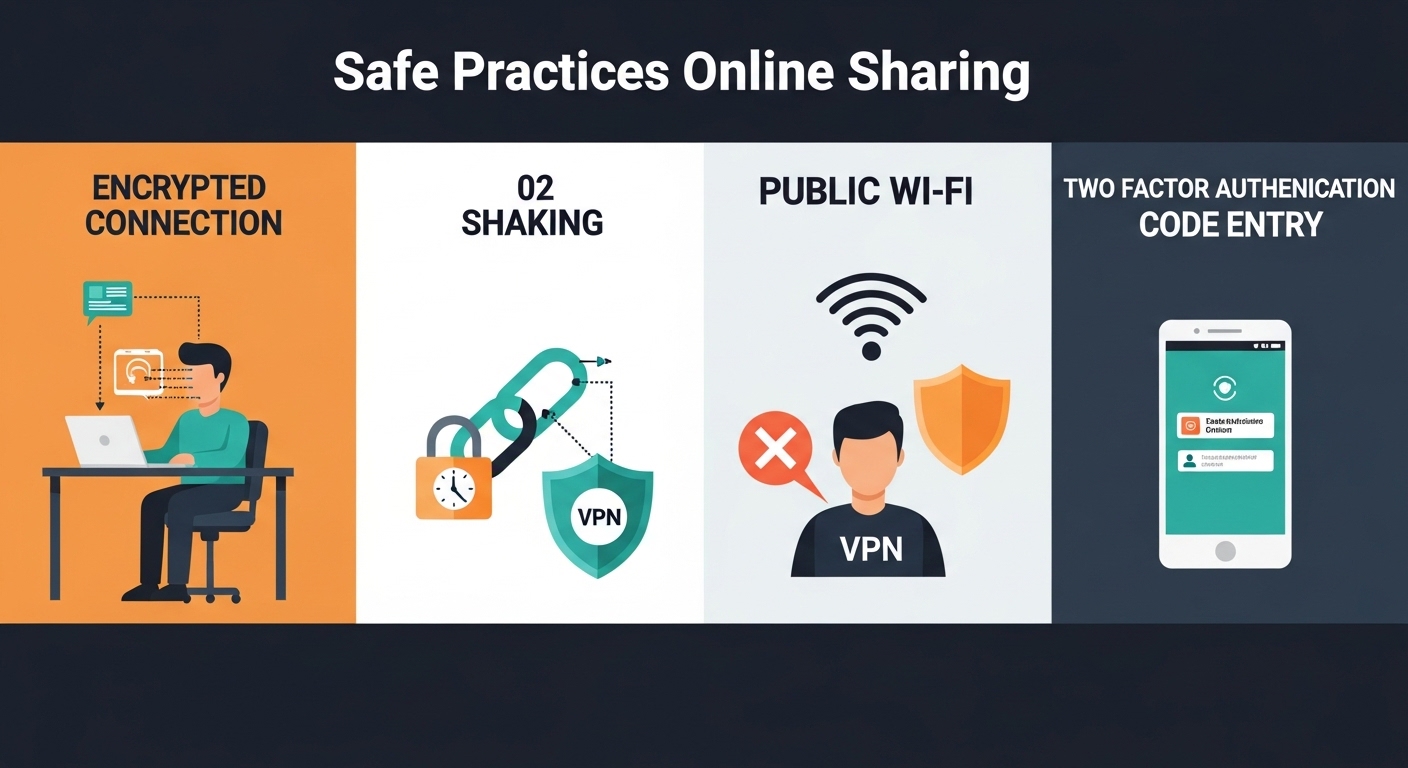
Never share sensitive files over email without encryption, through unencrypted FTP, or via public cloud storage with default (open) permissions. Always use a platform that encrypts files in transit and at rest, and prefer zero-knowledge encrypted solutions for highly sensitive data.
Set Expiration Dates and Password Protection on Shared Links
Every time you generate a shareable link, ask yourself: what happens if this link is forwarded, intercepted, or discovered by someone other than the intended recipient? Setting an expiration date ensures the link becomes invalid after a certain period. Adding password protection ensures that even if the link is compromised, the file remains inaccessible without the correct password.
Avoid Sharing Sensitive Files Over Public Wi-Fi
Public Wi-Fi networks are prime hunting grounds for man-in-the-middle attacks. If you must share files while on a public network, always use a VPN (Virtual Private Network) to encrypt your internet connection before initiating any file transfers. Better yet, wait until you are on a trusted, private network.
Use Multi-Factor Authentication
Multi-factor authentication (MFA) adds a critical layer of security to your file-sharing accounts. Even if your password is compromised, MFA requires an additional verification step — such as a code sent to your phone or a biometric scan — before granting access. Enable MFA on every file-sharing platform you use, and encourage your team members to do the same.
Secure File Sharing for Remote Teams and Businesses
Choosing the Right Tool for Your Team Size
The right secure file sharing tool depends heavily on your team size, technical capabilities, and security requirements. Small teams (1–10 people) often find Sync.com, ProtonDrive, or Tresorit’s business starter plans to be cost-effective and sufficiently powerful. Medium-sized businesses (10–100 people) may benefit from Dropbox Business, OneDrive for Business, or Google Workspace’s Business Standard tier, which offer better administrative controls and integrations. Large enterprises should evaluate Tresorit Enterprise, Microsoft 365 E5, or dedicated MFT platforms like IBM Sterling Secure File Transfer or GoAnywhere MFT.
For remote teams working with financial data and needing to manage forex calculations alongside document sharing, tools like the Forex Lot Size Calculator can complement your productivity toolkit when financial precision is required.
Integrating Secure File Sharing with Project Management Tools
Modern secure file sharing tools do not exist in isolation — they integrate with project management platforms, CRMs, communication tools, and development environments. Dropbox integrates with Slack, Trello, and Asana. Google Drive integrates natively with Google Meet, Gmail, and hundreds of third-party apps. Tresorit offers integrations with Microsoft Teams and Outlook. These integrations allow teams to maintain security without sacrificing the collaborative workflows that keep projects moving forward.
For an in-depth look at how enterprise file transfer security is evolving, the team at NIST (National Institute of Standards and Technology) provides authoritative cybersecurity frameworks and guidelines that organizations can use to benchmark their file sharing security practices.
Frequently Asked Questions About Safe File Sharing Online
What is the safest way to share files online? The safest method is to use a zero-knowledge end-to-end encrypted platform like Sync.com, ProtonDrive, or Tresorit, combined with password-protected and expiring shared links, multi-factor authentication, and a VPN on public networks.
Is Google Drive safe for sharing confidential files? Google Drive is reasonably secure for most everyday uses, but it is not a zero-knowledge platform — Google can technically access your files. For highly confidential data, use a zero-knowledge encrypted alternative.
What is the difference between encryption in transit and end-to-end encryption? Encryption in transit (TLS/HTTPS) protects data as it travels between your device and the server, but the server can decrypt and read the data. End-to-end encryption means only the sender and recipient can read the data — the server never has access to the unencrypted content.
Can I share large files securely? Yes. WeTransfer Pro supports file transfers up to 200GB with password protection and TLS encryption. Tresorit supports large file sharing with full E2EE. Google Drive supports files up to 5TB in size.
What is zero-knowledge encryption? Zero-knowledge encryption means the service provider has no access to your encryption keys and therefore cannot read your stored or shared files, even if compelled by law enforcement.
Are there free tools for secure file sharing? Yes. ProtonDrive (1GB free with E2EE), Sync.com (5GB free with zero-knowledge encryption), and Google Drive (15GB free with TLS encryption) all offer free tiers with meaningful security features.
