
Summary
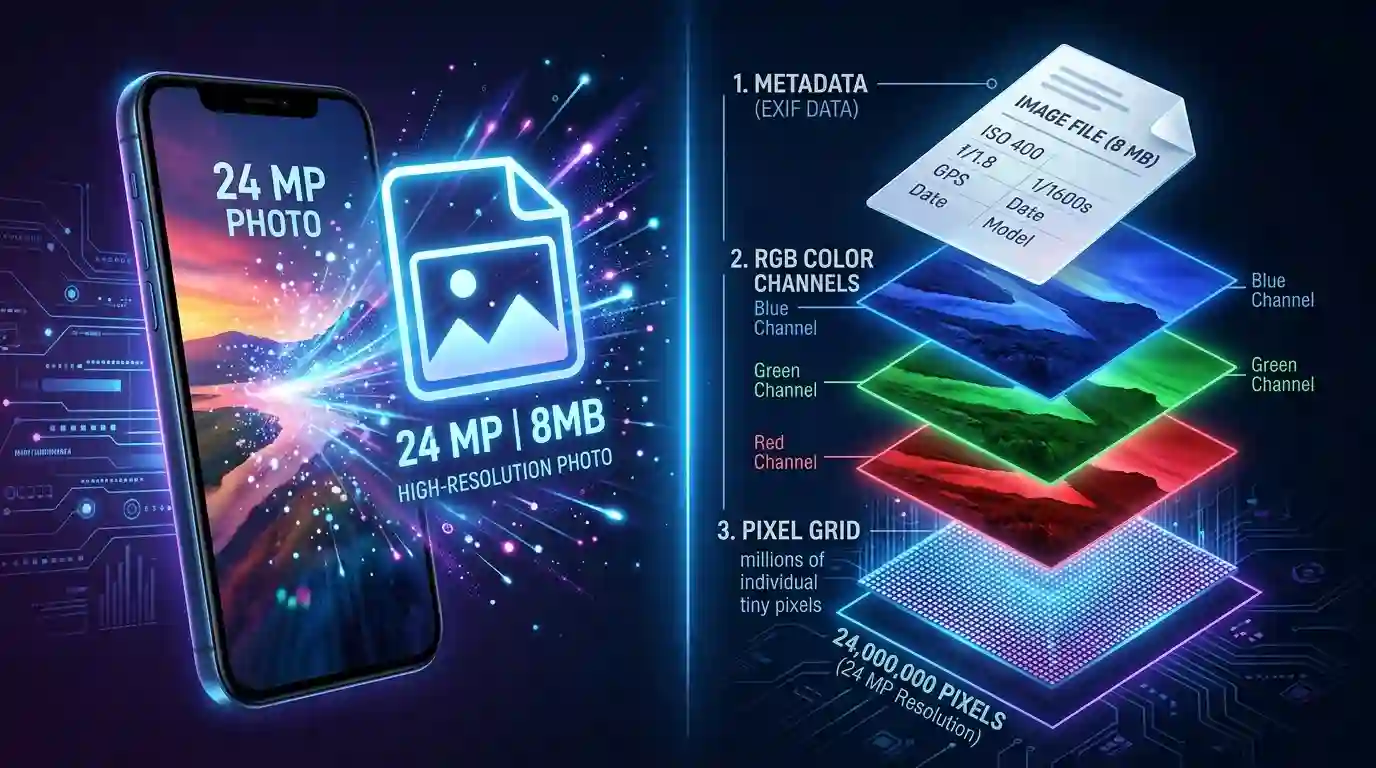
Have you ever wondered why smartphone photos are so large in file size, even when the image looks like any ordinary snapshot? Modern smartphones are engineered with increasingly powerful camera systems that capture enormous amounts of visual data — from pixel density and color depth to embedded metadata and HDR processing. A single photo taken on a flagship device can easily eat up 10 to 25 megabytes of storage. Understanding the science and technology behind this is essential for photographers, content creators, and everyday users who want to manage their storage more efficiently.
Table of Contents
- The Megapixel Revolution: Why Smartphone Cameras Capture So Much Data
- Understanding Why Smartphone Photos Are So Large: File Formats Explained
- Color Depth, Bit Depth, and RGB Channels
- HDR, Night Mode, and Computational Photography
- EXIF Metadata: The Hidden Weight in Your Photos
- RAW vs JPEG vs HEIC: How Format Choice Affects File Size
- Why Smartphone Photos Are So Large Compared to DSLR Images
- How to Reduce Smartphone Photo File Size Without Losing Quality
- Conclusion
- FAQs
1. The Megapixel Revolution: Why Smartphone Cameras Capture So Much Data
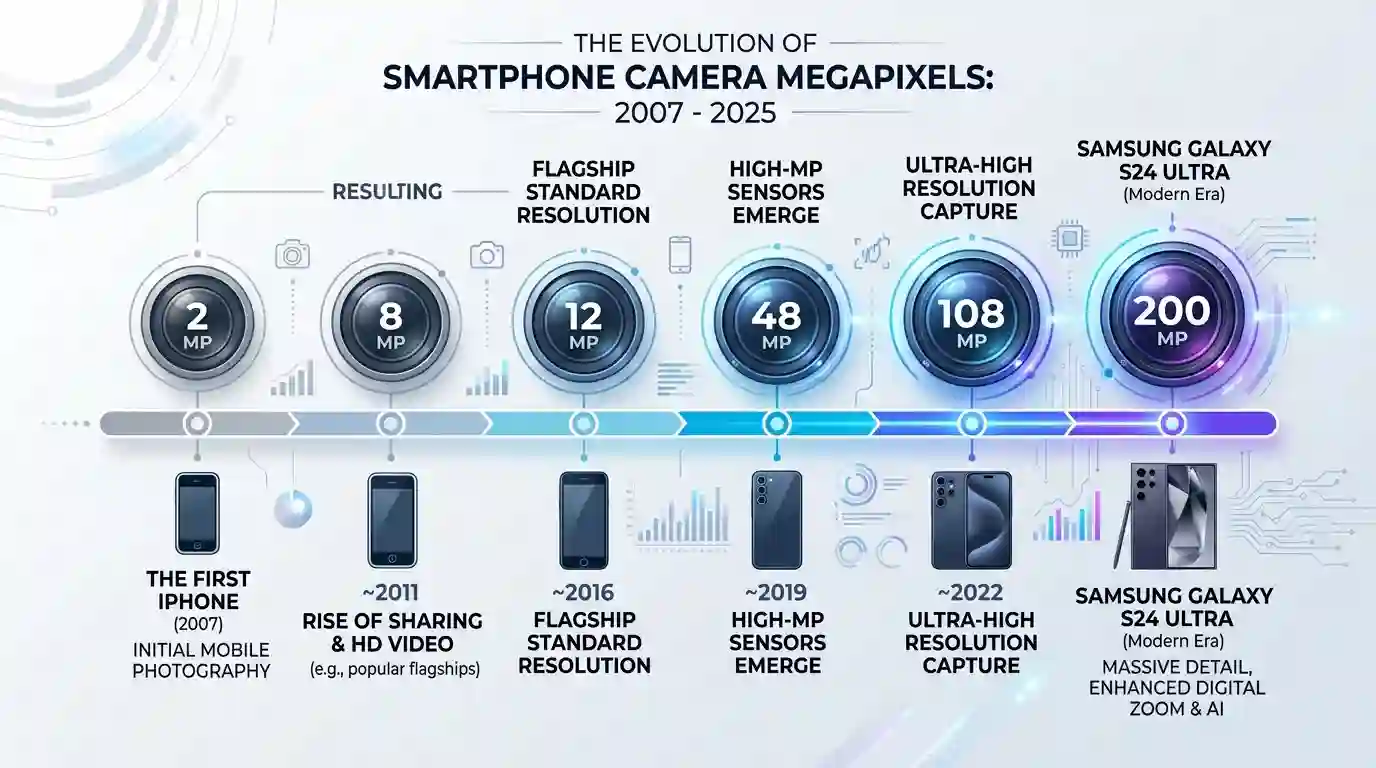
The journey from 2-megapixel camera phones to today’s 200-megapixel sensor smartphones is one of the most dramatic leaps in consumer technology history. When Apple launched the original iPhone in 2007, photos were tiny — both in resolution and file size. Today, devices like the Samsung Galaxy S24 Ultra boast a 200MP primary sensor, and the Apple iPhone 15 Pro Max shoots at 48MP by default.
What Is a Megapixel, Really?
A megapixel equals one million individual pixels. Each pixel stores color information — specifically red, green, and blue (RGB) channel values. When your phone captures a 50MP image, it is literally recording color data for 50,000,000 individual points of light. Multiply that by the bits of data needed to represent each pixel’s color accurately, and you begin to understand why storage consumption skyrockets.
Sensor Size and Pixel Density
Modern smartphone sensors are physically larger than they were five years ago. Larger sensors mean each pixel captures more light, but they also generate more raw data. Phones like the Google Pixel 8 Pro and OnePlus 12 use large-format image sensors that rival some entry-level mirrorless cameras in sheer data output per frame.
2. Understanding Why Smartphone Photos Are So Large: File Formats Explained
Not all file formats are created equal. The format your smartphone uses to save an image has a massive impact on the resulting file size. Most modern smartphones offer several format options, each with different trade-offs between quality, compatibility, and size.
JPEG (Joint Photographic Experts Group)
JPEG is the most universally recognized image format. It uses lossy compression, meaning it discards some image data to reduce file size. Even so, a high-quality JPEG from a 50MP sensor can still be 12–20MB because the sheer resolution demands significant storage even after compression.
HEIC (High Efficiency Image Container)
Apple introduced HEIC as the default format for iPhones starting with iOS 11. HEIC uses the H.265 codec for compression, which is roughly twice as efficient as JPEG. This means an HEIC file can be about half the size of an equivalent JPEG — but still substantial on high-resolution sensors.
PNG (Portable Network Graphics)
PNG uses lossless compression, meaning every pixel of image data is preserved without degradation. This makes PNG files even larger than JPEG for the same image. If you need to convert your smartphone photos to PNG for web or design work, use a reliable Convert to PNG Tool to handle the conversion efficiently while preserving image quality.
3. Color Depth, Bit Depth, and RGB Channels
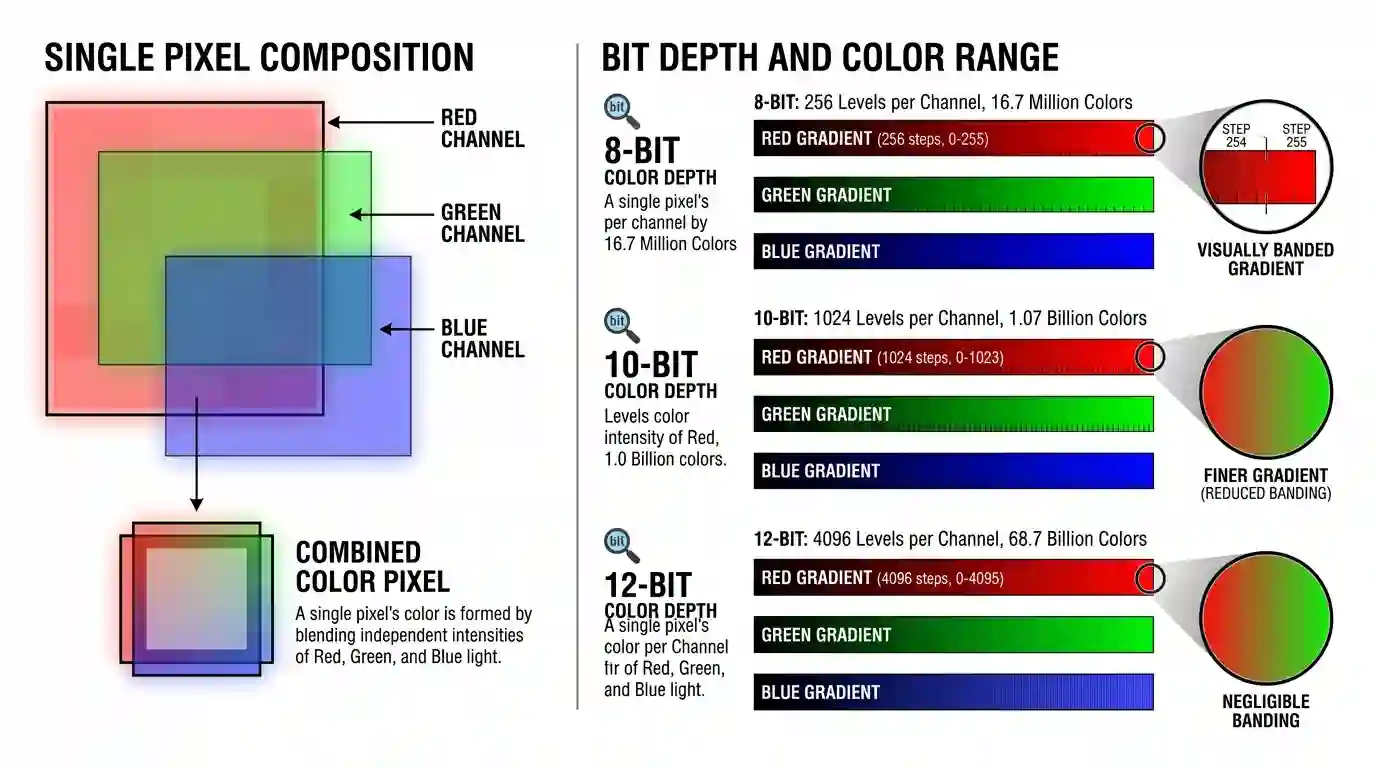
One factor that dramatically inflates photo file sizes — and is rarely discussed in mainstream tech coverage — is bit depth and color channel architecture.
What Is Bit Depth?
Bit depth determines how many possible color values each channel (R, G, B) can store:
- 8-bit per channel = 256 tonal values per channel → 16.7 million possible colors
- 10-bit per channel = 1,024 tonal values → over 1 billion possible colors
- 12-bit per channel = 4,096 tonal values → 68 billion possible colors
Flagship smartphones now shoot in 10-bit color by default (Apple ProRAW, Samsung Expert RAW). A 10-bit image stores 25% more data per pixel than an 8-bit image — and across 50 million pixels, that difference is enormous.
Alpha Channels and Transparency
Some image editing workflows add an alpha channel for transparency information (essential when you want to How to Remove Background from Images for design use). This fourth data channel adds another layer of storage overhead on top of RGB.
4. HDR, Night Mode, and Computational Photography
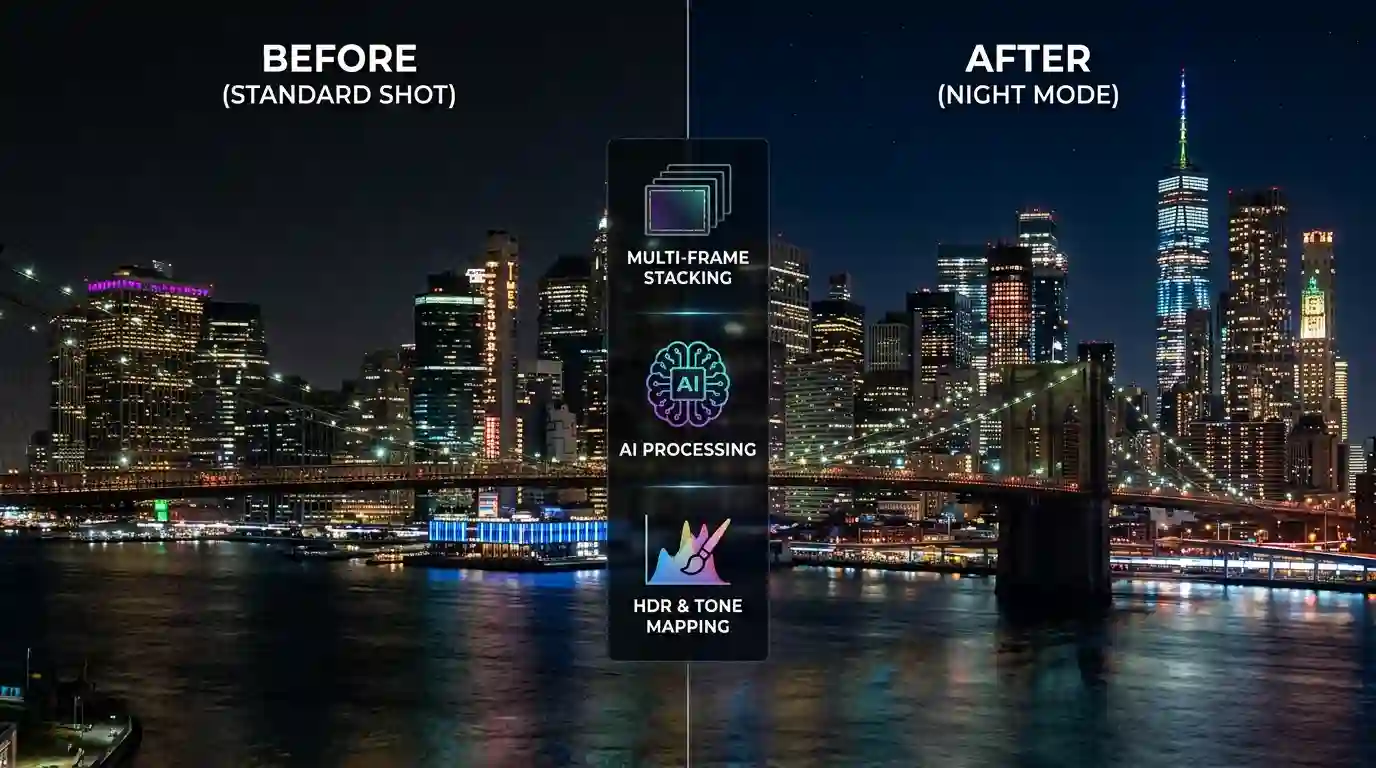
Modern smartphone cameras are not just hardware — they are computational photography engines. Features like HDR, Night Mode, Portrait Mode, and Smart Scene Detection all add significant data to your images.
How HDR Works
HDR (High Dynamic Range) photography works by capturing multiple frames at different exposure levels in rapid succession and merging them. Your phone might capture 3 to 9 bracketed exposures and combine them into a single image. The resulting HDR image contains richer tonal information — and a larger file size — because it synthesizes data from multiple frames.
Night Mode and Multi-Frame Stacking
Night Mode, as implemented by Apple (Photonic Engine), Google (Night Sight), and Samsung (Nightography), captures anywhere from 5 to 30 frames over a 1 to 6 second period and combines them using AI-driven algorithms. Each of these frames contributes data that the final image file must somehow represent or encode, inflating file size significantly.
Portrait Mode and Depth Maps
Portrait Mode doesn’t just apply a blur — it generates and stores a depth map, which is a secondary image-like data layer that records the distance of every pixel from the camera sensor. iPhones store this data inside the HEIC container, allowing depth effects to be re-edited later. This embedded depth data can add 1–3MB to a single portrait image.
5. EXIF Metadata: The Hidden Weight in Your Photos
Most users are surprised to discover that a significant portion of their photos’ file size comes from metadata — invisible data embedded within the image file itself.
What Does EXIF Metadata Contain?
EXIF (Exchangeable Image File Format) data stores a remarkable amount of information:
- Camera settings — aperture, shutter speed, ISO, focal length
- GPS coordinates — latitude, longitude, altitude
- Device information — make, model, software version
- Timestamp — date and time of capture (down to the millisecond)
- Thumbnail previews — a small embedded JPEG preview of the image
- Color profile data — ICC color profiles like Display P3 or sRGB
Advanced smartphones from Apple and Samsung also embed XMP metadata (Extensible Metadata Platform), which stores additional editing history, AI scene classifications, and semantic tags that camera AI assigns during processing.
According to Adobe’s imaging research documentation, modern RAW and HEIC files from smartphones can carry metadata payloads ranging from 50KB to over 1MB per image.
6. RAW vs JPEG vs HEIC: How Format Choice Affects File Size
| Format | Compression | Typical Size (50MP) | Editability |
| RAW / ProRAW | None / Lossless | 75–120MB | Maximum |
| JPEG | Lossy | 8–20MB | Limited |
| HEIC | Efficient Lossy | 4–12MB | Good |
| PNG | Lossless | 25–60MB | Excellent |
Apple ProRAW and Samsung Expert RAW
ProRAW combines the editability of traditional RAW with Apple’s computational processing (Smart HDR, Deep Fusion). The result is a file that can be 75 to 120MB per image — enormous by any standard. Samsung’s Expert RAW similarly produces uncompressed DNG files with full sensor data intact.
7. Why Smartphone Photos Are So Large Compared to DSLR Images
This might seem counterintuitive — professional DSLRs are capable of RAW files, too. Yet JPEG photos from a smartphone are often larger than JPEG photos from a DSLR. Why?
The reason lies in post-processing pipelines. DSLRs produce cleaner RAW data with less computational intervention, meaning JPEG compression has an easier time finding redundant data to eliminate. Smartphone JPEGs, by contrast, are the result of HDR stacking, multi-frame processing, and AI enhancement — producing rich, complex images that are inherently harder to compress efficiently.
Additionally, smartphone manufacturers deliberately err toward higher JPEG quality settings by default, since consumers expect stunning results straight from the camera app.
8. How to Reduce Smartphone Photo File Size Without Losing Quality
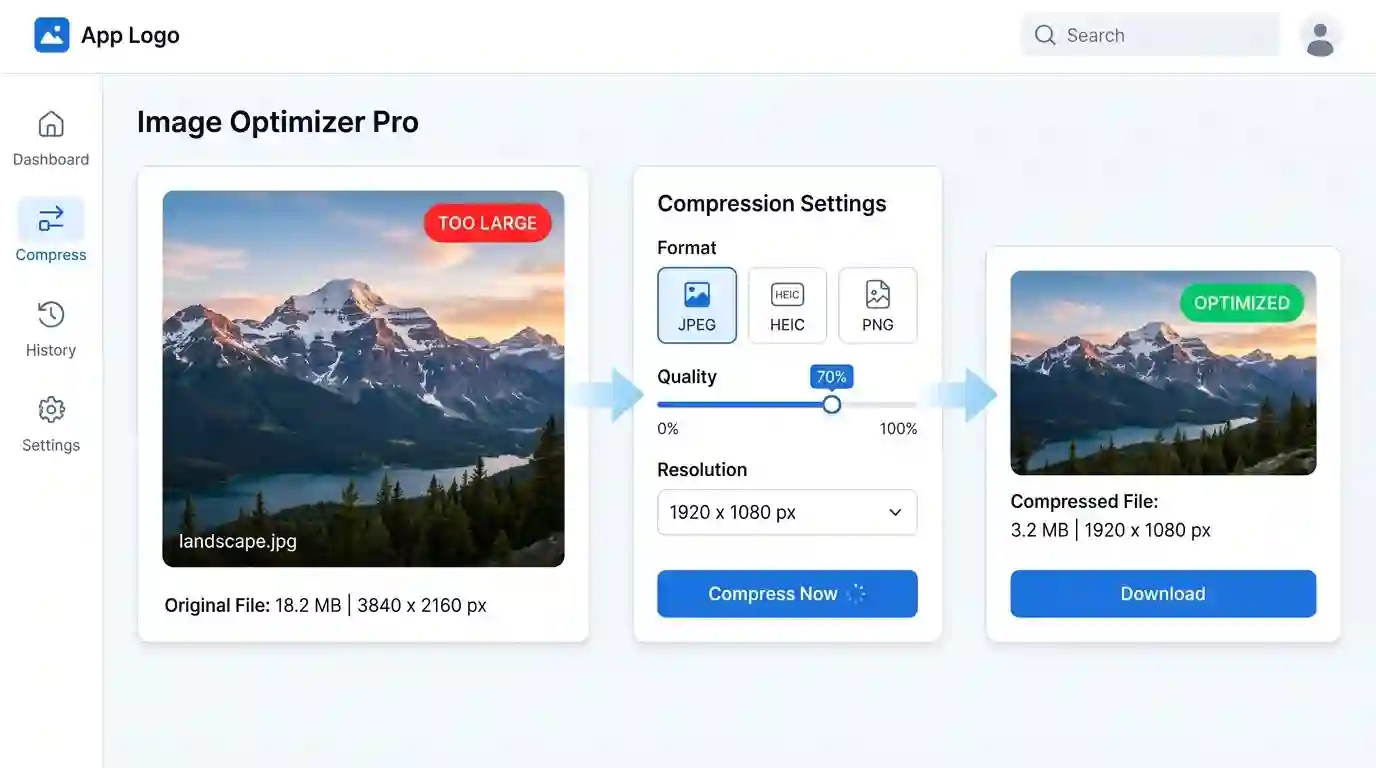
Understanding the problem is only half the battle — here’s how to actively manage file sizes without sacrificing meaningful quality.
Change Your Camera Format Settings
Switch from ProRAW to HEIC in iPhone settings, or from highest JPEG quality to standard in Android camera apps. Most viewers cannot distinguish between ProRAW and a well-shot HEIC image on a phone screen.
Use Compression Tools
Web-based image compressors like Squoosh, TinyPNG, or ImageOptim can reduce file sizes by 40–70% with minimal perceptible quality loss for web use.
Resize at the Source
Shooting at 12MP instead of 50MP or 200MP significantly reduces file sizes while still producing print-quality images. Most flagship phones allow you to choose the resolution per shot.
Convert to the Right Format for Your Use Case
For sharing online or embedding in websites, JPEG or WebP is optimal. For design work requiring transparent backgrounds, use a reliable Convert to PNG Tool to get web-ready files efficiently.
Conclusion
The reason why smartphone photos are so large is not a single answer — it is the convergence of many powerful technologies. From 200-megapixel sensors and 10-bit color channels to HDR multi-frame stacking, computational AI processing, embedded EXIF metadata, and high-quality compression codecs, each layer of modern smartphone photography adds meaningful data to your image files.
Understanding these layers gives you the power to make informed choices: whether to shoot in ProRAW for professional editing, HEIC for everyday snapshots, or JPEG for the broadest compatibility. Managing your photo library intelligently — through format selection, resolution control, and the right conversion tools — can save gigabytes of storage without sacrificing the visual quality you love.
As camera technology continues to evolve, file sizes will only grow — but so will our tools for managing them smartly.
FAQs
Q1: Why is one smartphone photo sometimes 25MB and another only 3MB?
A: File size depends on resolution setting, format (RAW vs HEIC vs JPEG), scene complexity, whether HDR or Night Mode was used, and the efficiency of compression applied. Complex scenes with fine detail compress less efficiently than simple scenes.
Q2: Does a higher megapixel count always mean bigger file size?
A: Generally, yes, but not always proportionally. A 108MP photo with aggressive compression may be smaller than a 48MP ProRAW file. Resolution is one factor, but format and processing pipeline matter just as much.
Q3: Is HEIC better than JPEG for saving space?
A: Yes. HEIC typically produces files about 40–50% smaller than equivalent JPEG files at the same perceived quality level, making it excellent for everyday photography storage.
Q4: Do photos get smaller when I send them via messaging apps?
A: Yes. Apps like WhatsApp and Instagram compress images before sending or uploading. This reduces file size but also permanently reduces image quality in the shared version.
Q5: Does deleting EXIF data make my photo files noticeably smaller?
A: Slightly. Stripping EXIF data removes embedded metadata and thumbnail previews, which can reduce file size by 50KB to 1MB, depending on the device — a minor but meaningful saving when dealing with thousands of photos.
Q6: Why does Portrait Mode produce larger files than standard shots?
A: Portrait Mode embeds a depth map alongside the regular image data inside the file container. This depth layer allows re-editing of blur effects later, but adds 1–3MB of additional stored data per image.